What Is Massive?
Massive is a proxy service. It provides managed pools of proxies, light controls over how traffic is routed and a dashboard that helps you to quickly set up your account and start sending requests.
What’s It For?
Massive suggests that there are a few dominant use cases for their proxies.
- Network Intelligence — Monitoring performance (availability, latency, performance and security) of online services from different locations.
- Market Research — Seeing the web the way that local users see it, enabling competitor price comparisons between countries, checking search visibility, verifying how adverts are displayed and monitoring brand presence.
- Security Operations — Investigating suspicious activity, tracking malicious infrastructure, collecting data for defensive models and improving systems that need to detect or respond to threats.
Those all sound reasonable. But, for me, the primary use case is web scraping. And the proxies work well for that too.
What Types of Proxies?
Massive offers several different proxy types, each with its own characteristics and use cases.
- Residential IPs — Classic web scraping proxies, where requests leave through IP addresses associated with real residential users. The value is not raw speed so much as plausibility. These are the right choice if you want traffic to look like ordinary consumer browsing.
- Mobile Proxies — Traffic routed through mobile networks. Useful when a site behaves differently on a mobile device. A viable alternative to residential IPs, but more specialised and not a general-purpose proxy.
- Datacenter IPs — Fast and reliable but not ideal for traffic to sites with anti-bot measures, where they are likely to be flagged. Ideal for tasks where throughput matters more than blending in with normal user traffic.
- ISP Proxies — Static IPs assigned by ISPs. Not as realistic as the residential option, but more plausible than datacenter IPs. Fast and stable.
Datacenter proxies are easy to spot because their IP addresses are registered to companies like AWS or Google Cloud. Residential and mobile IPs are assigned to consumer Internet Service Providers (ISPs). Because mobile carriers use CGNAT (Carrier-Grade NAT), a single mobile IP is shared by hundreds of real people. This makes mobile proxies almost un-blockable for websites, as banning one IP could accidentally block hundreds of legitimate customers. Similarly, if a website blocks a residential proxy IP, then they risk blocking a real person who just happens to be the neighbour of that IP on the ISP network. This collateral damage is why residential proxies are so valuable!
For the rest of this post I’ll focus on residential proxies, since they’re also the most relevant for web scraping.
Where Are The Exit Points?
The quality of a residential proxy network is determined by the number and diversity of exit points. Ideally there should be a lot of exit IPs and they should be evenly spread across a wide range of plausible residential locations.
According to Massive’s documentation this was their distribution of exit IPs by country in January 2025:
| Country Code | Country Name | Daily Active IPs |
|---|---|---|
| USA | United States | 147935 |
| GB | United Kingdom | 65120 |
| DE | Germany | 42877 |
| BR | Brazil | 29615 |
| MX | Mexico | 28570 |
| FR | France | 25998 |
I’m sure that a lot has changed since then. This is still a useful benchmark to compare against, but it’d be interesting to see how the exit points are currently distributed, just over a year later.
TipHow Proxy Services Get IPs
A network of millions of residential or mobile IP addresses is generally built via distributed crowdsourcing. Unlike datacenter proxies, bought in bulk from hosting providers, residential and mobile exit points must come from real consumer devices.
Proxy services obtain these exit locations using one or more of these methods:
- SDK Strategy — The most common method for scaling to millions of IPs. A proxy provider creates a Software Development Kit (SDK) and offers it to app developers. An app developer integrates the SDK into their (probably free) app. When a user installs the app, they (often unknowingly) agree to share their device’s idle internet bandwidth and their device becomes a node or peer in the proxy network. The proxy provider routes traffic through the user’s device. If you use free VPNs or ad-blockers, it’s likely that your device is acting as an exit IP for someone else’s web traffic.
- Passive Income — Some providers recruit users directly through bandwidth sharing platforms like Honeygain and Pawns.app. The technical implementation is similar to the SDK strategy. Users intentionally install an application that runs in the background. They are paid a small amount to let the proxy provider use their IP address as an exit point.
- P2P Sharing — A user installs a desktop client, browser extension, VPN or utility that participates in a shared network. In exchange for using the software they allow a portion of their bandwidth and IP connectivity to be used by other participants. The software is usually pitched directly to the end user rather than bundled into another app.
- Mobile SIM Farms — For high-end mobile (4G or 5G) exit IPs, proxy providers often move away from random user devices and build physical infrastructure called SIM Farms. They buy hundreds of 4G/5G USB dongles or other specialised hardware and plug them into a central server.
- Malware/Botnets — The worst-case approach is an outright compromise. Consumer devices are literally infected and traffic is routed through them without their knowledge or consent. It’s criminal infrastructure rather than a legitimate proxy business. Most proxy providers distance themselves from this model because consent and provenance matter!
Where do Massive’s residential and mobile exit IPs come from? Their Monetisation SDK is the clearest clue. The SDK is aimed at developers, who might embed it in their applications. End users of those applications can opt in and allow Massive to use a small amount of their spare compute, bandwidth and IP connectivity. In return the developer earns revenue.
All devices in our network have explicitly opted in through the Massive SDK, ensuring compliance with GDPR and CCPA regulations. This commitment to ethical practices means you can trust that your data collection efforts are both effective and responsible.
This doesn’t prove that all of Massive’s residential and mobile exit IPs come from the SDK, but it’s a reasonable inference.
Getting Started
Let’s start by taking a look at their site.
Login
To login go to https://dashboard.joinmassive.com/auth/login. The process is unremarkable and frictionless, which is exactly what you want. Simply provide an email and password. Or use your Google or GitHub identity. If you don’t already have an account then there’s a link to a signup page.
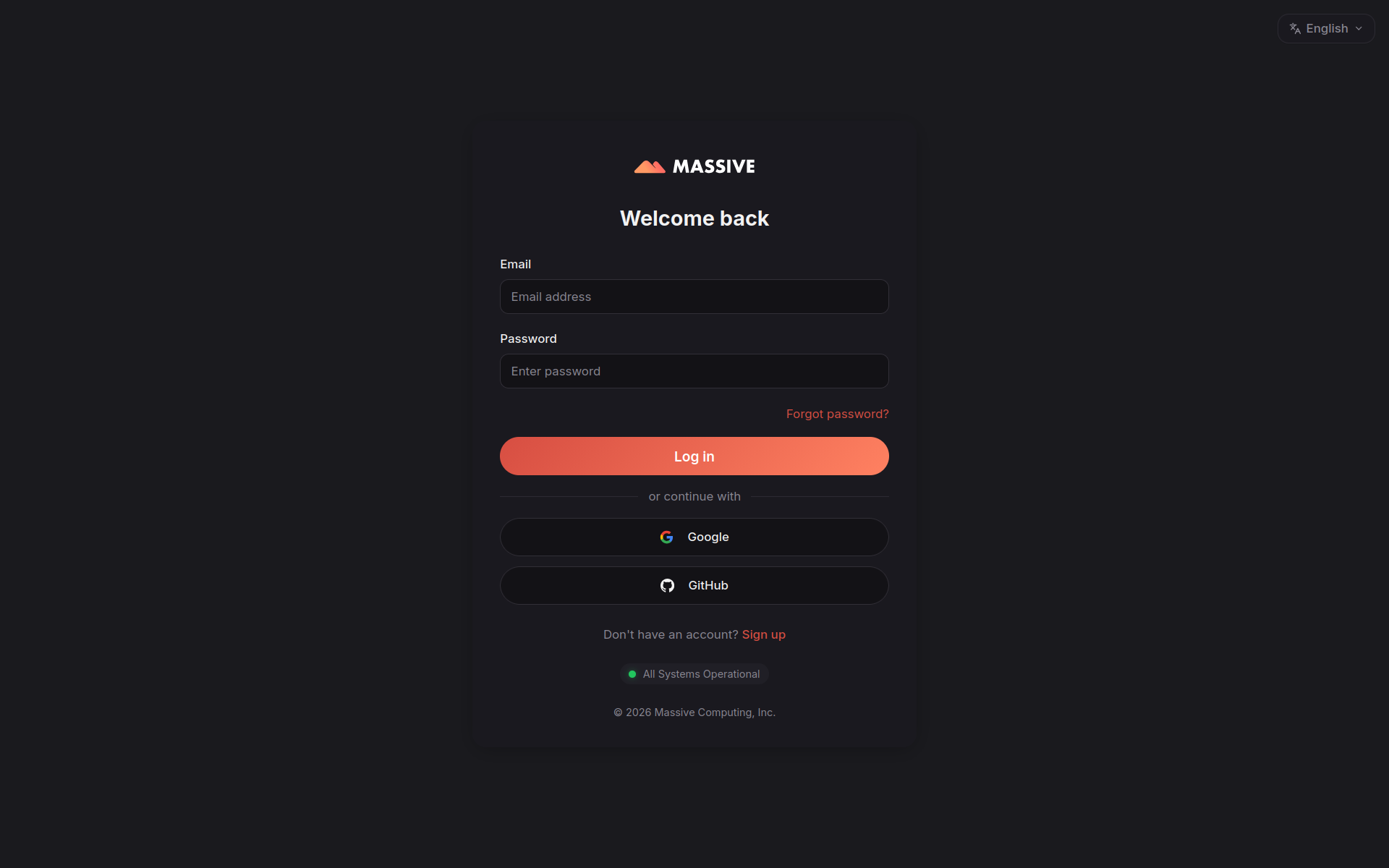
Immediately after login you’ll see your dashboard.
Dashboard
The dashboard gives you access to all aspects of your account, including usage reporting, API key management and the Proxy Generator.
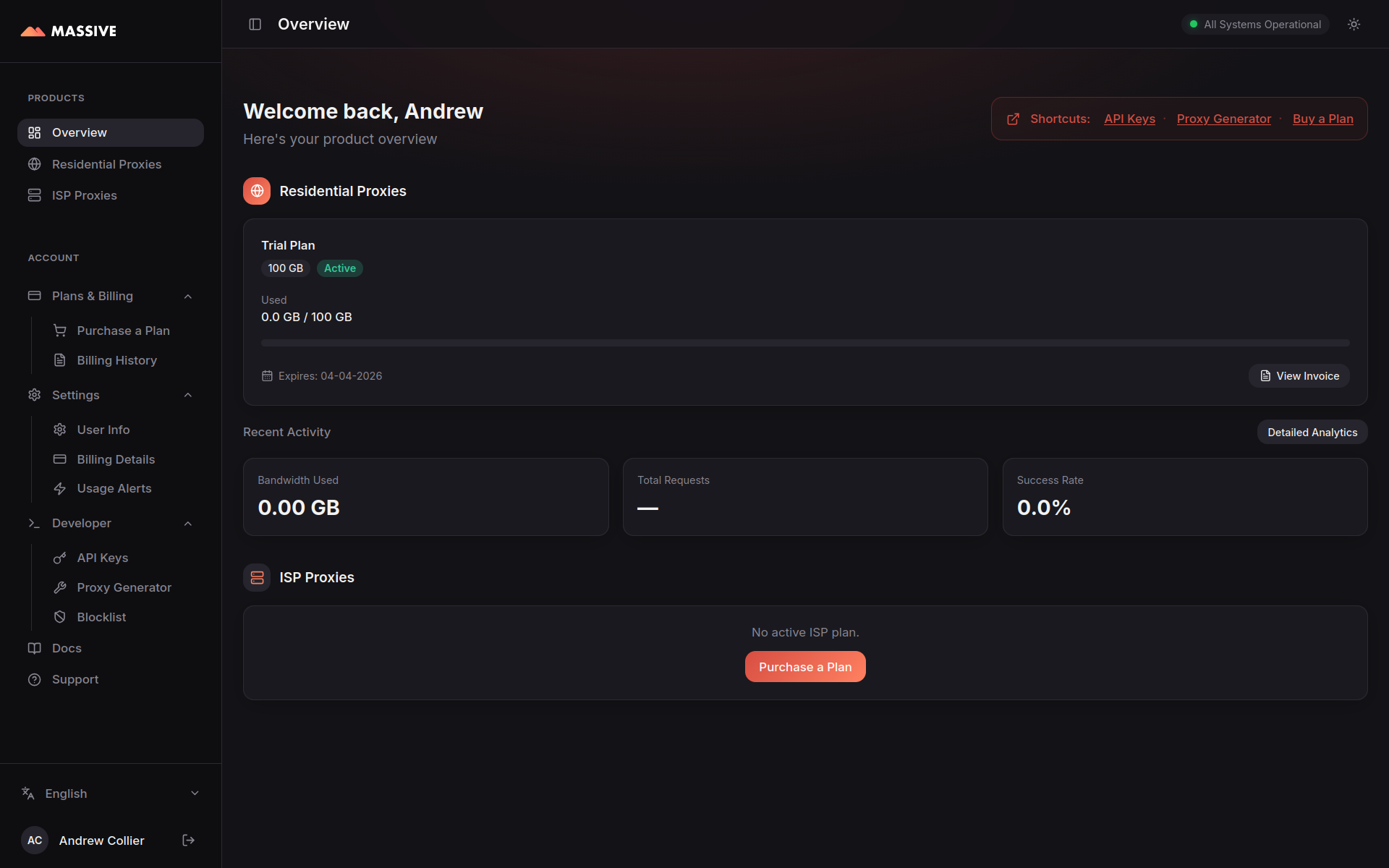
Once you start sending requests through the service, your usage is tracked in real-time on the dashboard.
Proxy Generator: Smoke Test
If you’re keen to get started then go straight to the Proxy Generator. Try out the various routing options and immediately see sample code using cURL, Python, JavaScript, PHP, Go, Java or Ruby.
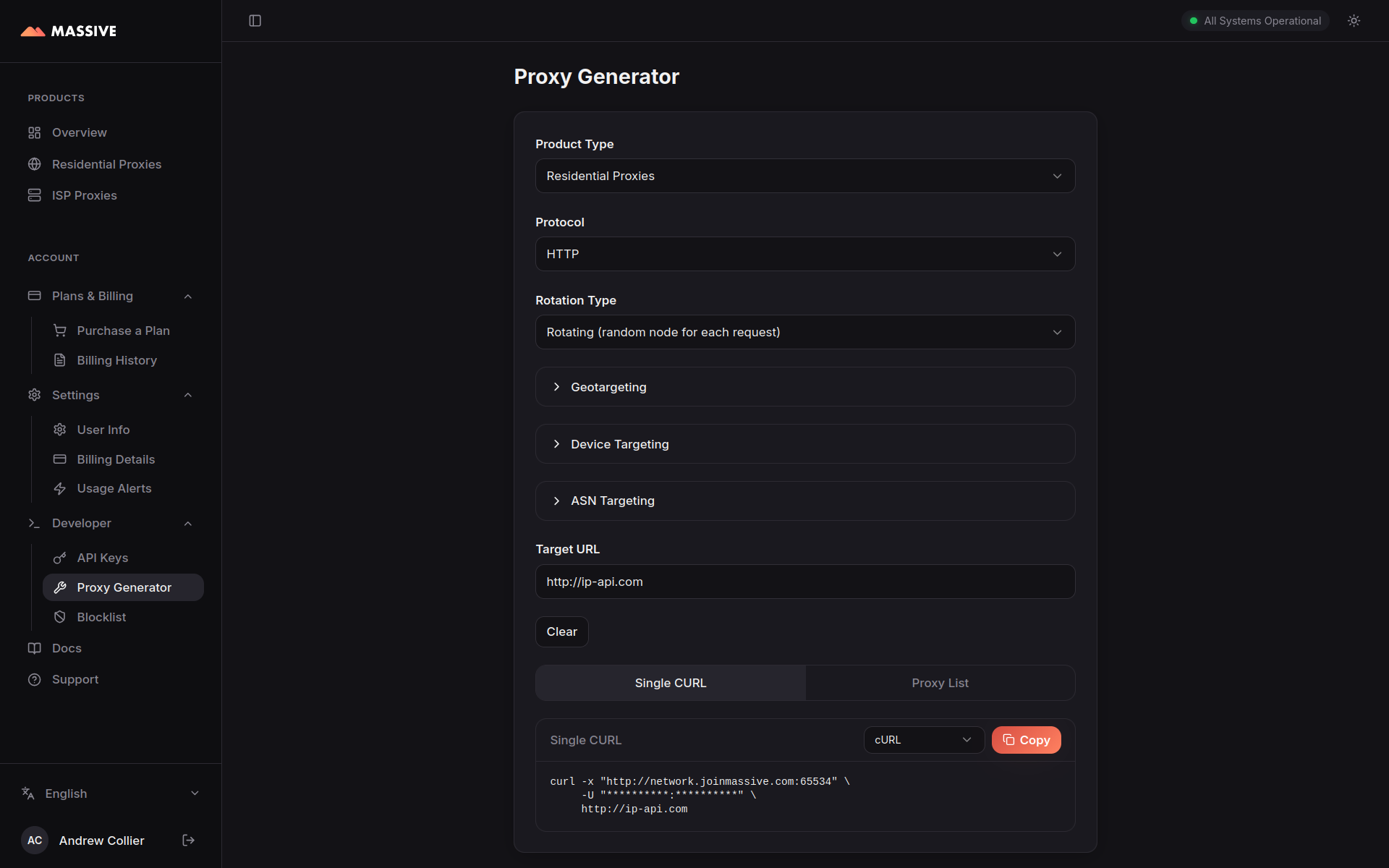
You can toggle between residential and ISP proxies. Each option operates on a different sub-domain (network.joinmassive.com for residential and isp.joinmassive.com for ISP) and set of ports.
Select a protocol (HTTP, HTTPS, or SOCKS5). This is the protocol used to communicate with the proxy, not the target site. Choosing the right option is not entirely trivial.
- HTTP — Handles HTTP requests directly and tunnels HTTPS requests via the
CONNECTmethod. This is the most widely supported option and is a good default choice for most applications. Connect via port65534. - HTTPS — Like HTTP but with an encrypted connection to the proxy. This can help in environments where unencrypted proxy traffic is blocked or monitored. It also means that your proxy credentials are encrypted and the details of the request are protected. It may introduce additional latency. Connect via port
65535(or1080if65535is blocked on your network). - SOCKS5 — Can handle all kinds of traffic, not just HTTP. More flexible but less widely supported. Connect via port
65533.
I’ll stick with HTTP.
Choose a suitable target URL. The default, http://ip-api.com (an HTTP target), will return the details of the IP address that the request is coming from.
Run the generated curl command.
curl -x "http://network.joinmassive.com:65534" -U "******:******" http://ip-api.comWhat the cryptic arguments mean:
-x— the proxy location and port (long form is--proxy) and-U— the proxy username and password (long form is--proxy-user).
In case it’s not obvious, I’m using ******:****** to represent my username and password. Don’t forget to replace those with your actual credentials, which you’ll get from the dashboard.
If everything is working, then you should see a response that shows an IP address and location that are different from your own.
{
  "status"       : "success",
  "continent"    : "Europe",
  "continentCode": "EU",
  "country"      : "Czechia",
  "countryCode"  : "CZ",
  "region"       : "10",
  "regionName"   : "Prague",
  "city"         : "Prague",
  "district"     : "",
  "zip"          : "160 00",
  "lat"          : 50.1242,
  "lon"          : 14.398,
  "timezone"     : "Europe/Prague",
  "offset"       : 7200,
  "currency"     : "CZK",
  "isp"          : "T-Mobile Czech Republic a.s.",
  "org"          : "Tmcz MMO Cgnat",
  "as"           : "AS13036 T-Mobile Czech Republic a.s.",
  "asname"       : "TMOBILE-CZ",
  "mobile"       : true,
  "proxy"        : false,
  "hosting"      : false,
  "query"        : "193.179.120.80"
}
Run it again.
{
  "status"       : "success",
  "continent"    : "Europe",
  "continentCode": "EU",
  "country"      : "Germany",
  "countryCode"  : "DE",
  "region"       : "NW",
  "regionName"   : "North Rhine-Westphalia",
  "city"         : "Bonn",
  "district"     : "",
  "zip"          : "53225",
  "lat"          : 50.7463,
  "lon"          : 7.1271,
  "timezone"     : "Europe/Berlin",
  "offset"       : 7200,
  "currency"     : "EUR",
  "isp"          : "Deutsche Telekom AG",
  "org"          : "Deutsche Telekom AG",
  "as"           : "AS3320 Deutsche Telekom AG",
  "asname"       : "DTAG",
  "mobile"       : false,
  "proxy"        : false,
  "hosting"      : false,
  "query"        : "79.248.7.152"
}
The second request was routed through a different exit IP in another country, exactly what you’d expect from a rotating residential proxy service.
It works just as well when the target is HTTPS. Request data from https://www.whatismyip.net/geoip/ by changing the URL at the end of the curl command.
{
  "ip": "2a02:c7e:5ef3:7f00:56da:4cb3:a62d:258",
  "hostname": "2a02:c7e:5ef3:7f00:56da:4cb3:a62d:258",
  "city": "Shaftesbury",
  "state": "England",
  "country": "GB",
  "organization": "Sky Network Services",
  "timezone": "Europe/London",
  "local_time": "07:17 am",
  "coordinates": {
    "latitude": 51.0053,
    "longitude": -2.19333
  },
  "device": {
    "os": "Unknown OS Platform",
    "browser": "Unknown Browser"
  }
}
Another exit IP in a different country.
Setting Environment Variables
It’s not terribly convenient or secure to have the credentials in the command line history, so I prefer to export them as environment variables and use those instead. Either add them to your shell profile, export them in the terminal or create a local .env file.
MASSIVE_USERNAME=******
MASSIVE_API_KEY=******
Then use them in the curl command as $MASSIVE_USERNAME:$MASSIVE_API_KEY.
WarningKeep Credentials Out Of Shell History
Even for quick tests, I wouldn’t leave proxy credentials inline on the command line any longer than necessary. A local .env file is simpler, less error prone and avoids splashing secrets through shell history, screenshots or copy and paste.
Python Setup
I love curl for quickly dispatching requests, but for anything serious I prefer to code in Python. Here’s a simple starter script. This will be expanded to capture the data used in the rest of the post, but for now it’s just a quick test to check that the credentials work and that the proxy is routing requests as expected.
import os
from urllib.parse import quote

import httpx
from dotenv import load_dotenv


# Load environment variables from a local `.env` file if present.
load_dotenv()

username = quote(os.environ.get("MASSIVE_USERNAME", ""), safe="%")
password = quote(os.environ.get("MASSIVE_API_KEY", ""), safe="")

host = "network.joinmassive.com"
port = 65534

proxy_url = f"http://{username}:{password}@{host}:{port}"
target_url = "http://ip-api.com/json/?fields=status,country,regionName,city,query"

response = httpx.get(target_url, proxy=proxy_url)
response.raise_for_status()

print(response.text)
Does It Work in the Browser?
Although this is not a feature I use terribly often, it’s useful to confirm that the proxy can be used in a browser. Does Massive’s proxy network perform when configured in the browser’s proxy settings?
Damn right it does! Here’s what I see when I navigate to https://whatsmyip.com/.
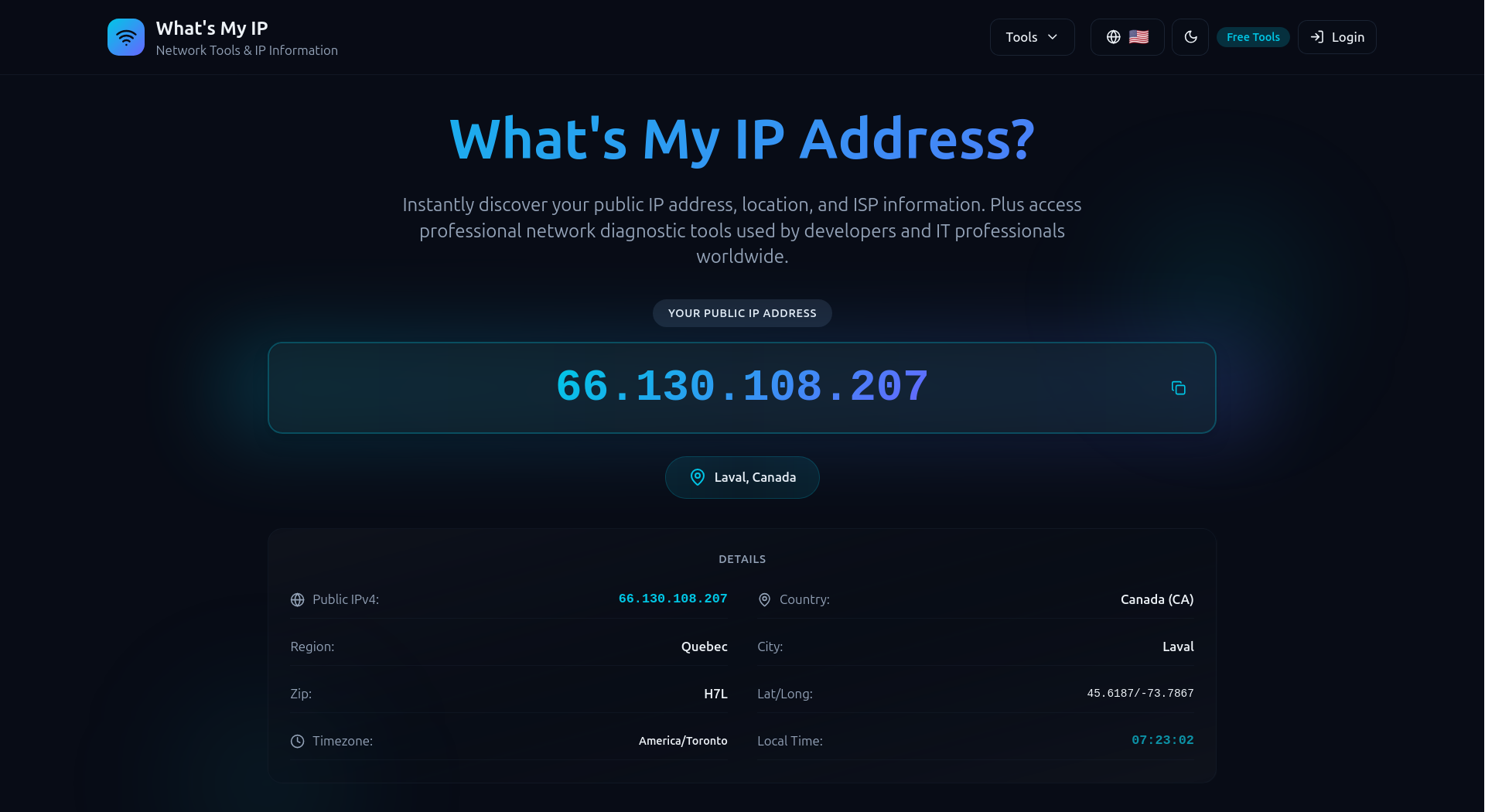
I’m certainly not in Canada! I’m an ocean away in the UK. Perfect. Let’s try again.
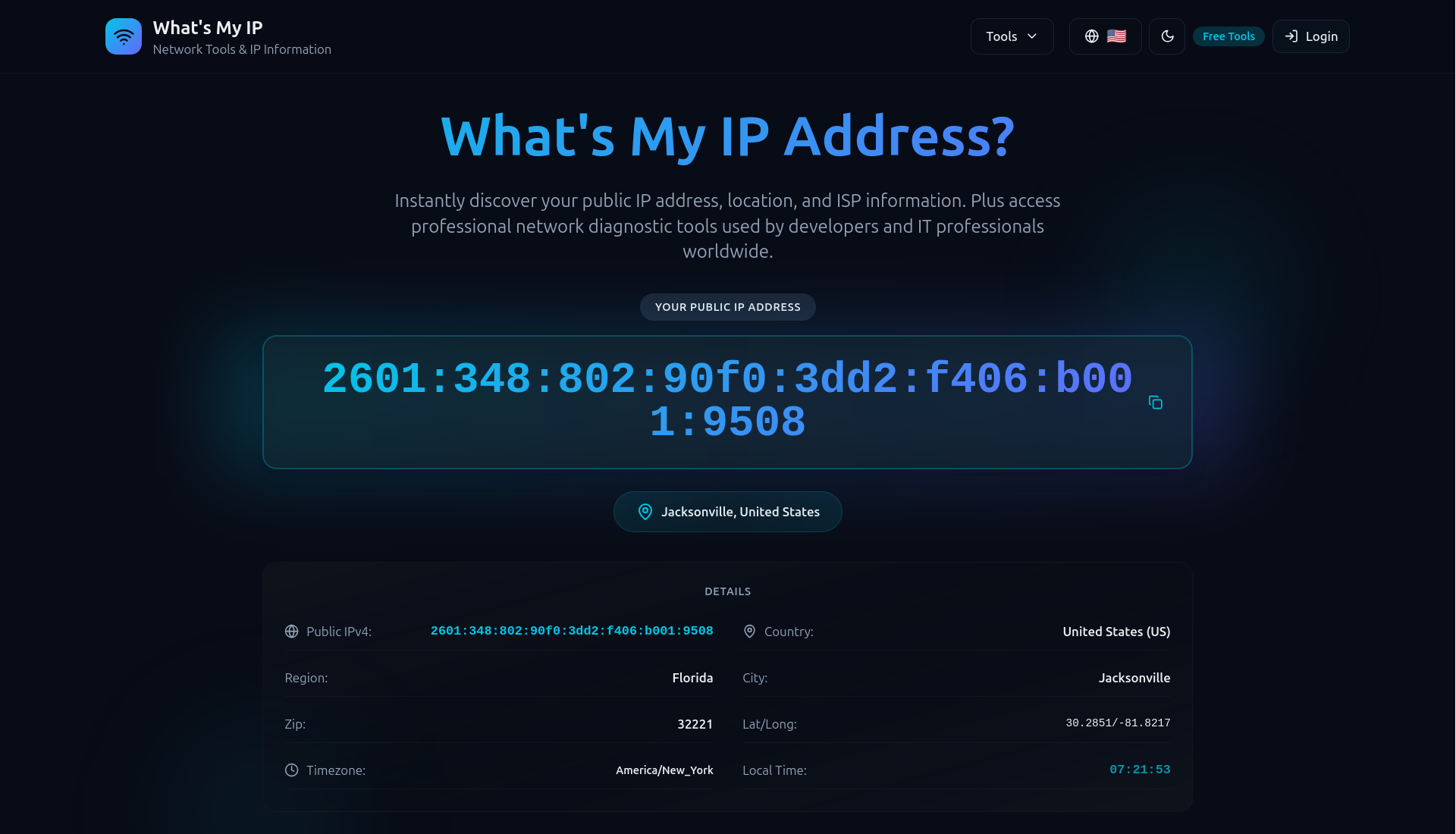
A different exit IP, this time in the US. The proxy is working as expected in the browser too. Interesting to see that it’s an IPv4 address for the first location and an IPv6 address for the second. Both are now common in consumer networks, so that looks good too.
How Good Is It?
To objectively assess the proxy service I tried to answer these questions:
- What is the actual geographic distribution of exit IPs?
- Are the exit IPs in plausible residential locations?
- Does the exit IP rotate consistently?
- How much latency does the proxy add?
Geographic Distribution
I used the Massive proxies to gather the responses from 5,000 successful requests to http://ip-api.com. Each response contains the geographic location, country code, city and postal code of the proxy exit IP. The results are saved in a JSONL file. The plot below shows the locations of the exit IPs extracted from that data.
Use your mouse to zoom in to see the details. Based on a qualitative review of the plot at multiple scales I’m satisfied that the exit IPs are distributed across a wide range of locations, with no obvious signs of clustering in data centres or other suspicious locations.
Residential Locations
Are the exit IPs actually in residential locations? That is the key question for a residential proxy service.
There is no single field in the test data which indicates unequivocally whether an exit location is a residential IP or not. I’ll have to come at this indirectly by looking at how widely the exits are spread across towns and postal codes and whether the reported ISPs look like consumer broadband providers rather than hosting companies.
Are exit locations clustered in a handful of cities or spread across lots of ordinary places? The plot below shows the proportion of distinct cities and postal codes relative to the sample size broken down by country and ordered by postal code coverage. The data for some countries does not include postal codes, in which case the postal code points are not plotted.
Across 29 countries, those with larger samples show dispersion in both city and postal code coverage. The US sample alone contains 1,385 distinct cities and 2,275 distinct postal codes (71.0%) from 3,206 exits, while the UK reaches 78.1% distinct postal codes and Mexico gets to 82.9%. It’s the sort of location variety I’d expect from consumer networks, not a small set of repeatedly recycled endpoints. A caveat is that the far-right 100% distinct postal code points are countries with only a few samples.
What about ISPs? This is not perfect, but it’s also a useful smell test.
This chart is also reassuring. The heavy hitters, Comcast Cable (605), AT&T (357), Charter (350), Bell Canada (277), Verizon Business (242), are all recognisable consumer providers, as you’d expect. There are a couple of labels that sound slightly more corporate than domestic, like Verizon Business, but they still belong to ordinary connectivity providers rather than obvious datacentre hosts. If the list were full of AWS, Azure, OVH, Hetzner or DigitalOcean, I’d be sceptical.
Taken together, these views make the network look convincingly residential to me. The sample contains 5,000 successful exits across 69 countries, with city information on essentially every record and postal codes for about 95.6% of them. It is also geographically messy in the right way: 2,203 distinct country-city combinations and 3,422 country-postal code combinations. The ISP list is dominated by recognisable consumer access networks.
Direct Versus Proxy Timing
To assess the latency overhead of the proxy, I also collected timing data for matched pairs of requests: the same URL requested once directly and once through the proxy, with both requests sent simultaneously. The results are also saved in a JSONL file.
The sample of 5000 request pairs covered 200 distinct URLs across 39 domains. Direct requests averaged about 177 ms and proxied requests around 1,493 ms.
The plot below displays the distribution of slowdown ratios, calculated as proxy time divided by direct time. The vertical dashed line indicates the median slowdown ratio of about 11.7. Although this view is intuitive and easy to understand, it can be misleading when the direct request is very fast, since small changes in the proxy time then have a large effect on the ratio.
The premise for the above plot is that the relationship between direct and proxy times is multiplicative. This is probably not true. It’s more likely that the proxy adds a roughly fixed amount of latency regardless of the direct time.
Let’s try to answer a simpler question: how much time does the proxy add? The plot below shows the distribution of added latency in milliseconds, calculated as proxy time minus direct time. The horizontal dashed line indicates the median of about 1,119 ms (the mean is around 1,316 ms). The data are plotted on logarithmic axes to handle the wide spread of times without letting the slower requests dominate the plot. The added latency appears to be roughly independent of the direct time.
Now, let’s ignore the direct time axis and focus on the distribution of added latency values. The distribution has a clear peak, but there are long tails of slower and faster requests. The median added latency (1,119 ms) is a more robust summary than the mean (1,316 ms), which is inflated by the slow tail.
Finally, we’ll aggregate by domain to see whether the slowdown looks broadly similar across sites or whether one or two hostnames dominate the result.
The proxy medians sit to the right of the direct medians for every domain in the chart, but the ordering is roughly preserved: faster domains stay relatively fast and slower ones remain relatively slow. That suggests the proxy is mostly adding latency on top of each site’s own baseline, rather than completely reshaping the performance profile from one hostname to another.
ImportantBenchmark Caveat
These timings are a useful indication of performance, but they are just that: an indication. The numbers depend heavily on a variety of factors, including the target site, the time of day and whatever exit nodes were available during testing.
Summary & Next Steps
Massive is easy to wire up, the proxy generator works without fuss and it’s easy to get started using Python or curl on the command line.
A sample of residential proxy exit locations looks convincingly like ordinary consumer connectivity rather than a pile of datacentre hosts. The country spread is broad, while the city and postal code data are delightfully messy (in just the way I’d expect!). The ISP mix is dominated by recognisable broadband and mobile brands.
The proxy does add some latency, but the overhead is small and stable enough to be perfectly workable for the sort of requests I care about.
Taken together this all leaves me with a strongly positive initial impression.
Next I’ll be digging into some more specific features of the Massive product:
- Massive Geotargeting
- Massive Sticky Sessions
- Massive Device-Type Targeting
- Massive ASN Identifier Targeting and
- Massive Render API.
After that I’ll look at a few adjacent products and lower-level details:
- Massive Browsing API
- Massive Search API
- Massive Reporting API and
- Massive HTTPS CONNECT Headers.
Resources
- Massive product page: https://www.joinmassive.com/en/web-access;
- Massive proxy docs: https://docs.joinmassive.com/residential/quickstart; and
- Massive routing docs: https://docs.joinmassive.com/residential/routing.