In a previous post I described a recipe for setting up GitLab Runner using a Docker container. With that setup it was possible to register multiple runners on a single container. However, each runner needed to be registered manually. This setup makes complete sense if the container will be around for a while. But what if you’re spinning up a GitLab Runner container for only a short duration? In this case it might be preferable to have the container pre-configured (or at least easily configured) to provide a runner to a specific project or group. Setting that up is the goal of this post.
Registration Token
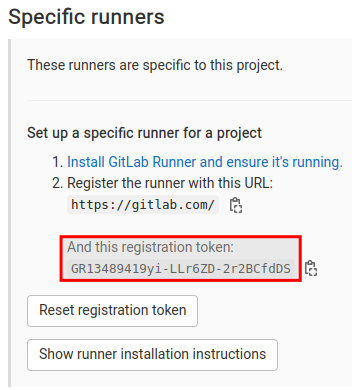
To register a runner we’re going to need a token. The token comes from the project (or group) settings.
Docker Image
Derive a new Docker image from gitlab/gitlab-runner.
FROM gitlab/gitlab-runner:v14.7.0

RUN apt-get update && \
    apt-get install -y docker.io

COPY gitlab-runner-register.sh .
RUN chmod u+x gitlab-runner-register.sh

ENTRYPOINT ["./gitlab-runner-register.sh"]
The entrypoint for the image is a script, gitlab-runner-register.sh.
Registration Script
The registration script will register the runner using the token specified via the TOKEN environment variable.
#!/bin/bash

if [ -z "$TOKEN" ]
then
  echo "Please provide a registration token."
  exit 1
fi

# Initiate the GitLab Runner process.
#
gitlab-runner run --user=gitlab-runner --working-directory=/home/gitlab-runner &

# Register a runner.
#
gitlab-runner register \
  --non-interactive \
  --executor "docker" \
  --docker-image alpine:latest \
  --url "https://gitlab.com/" \
  --registration-token "$TOKEN" \
  --description "gitlab-runner-baked" \
  --run-untagged="true" \
  --locked="false" \
  --access-level="not_protected"

# Launch Docker daemon (this will also keep container running).
dockerd
Build Image & Launch Container
Build the image.
docker build -t gitlab-runner-baked .Create a container, specifying the token as an environment variable.
docker run --privileged -e "TOKEN=GR13489419yi-LLr6ZD-2r2BCfdDS" gitlab-runner-bakedTest
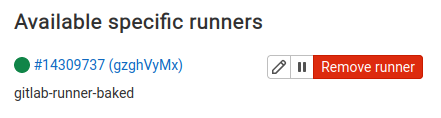
Once the container is running you should see that the runner is available in the project settings.
Here’s a simple GitLab CI configuration for testing purposes.
image: alpine:3.14

stages:
  - build

build:
  stage: build
  script:
    - echo "Welcome to my build!"
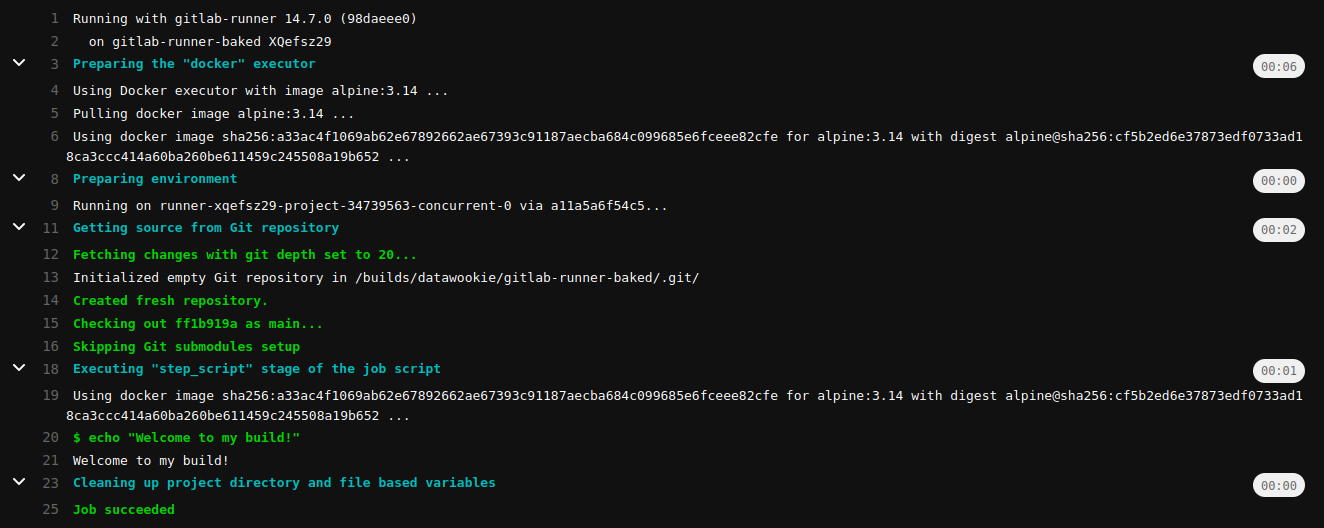
And this is what we see in the pipeline logs.
Conclusion
This setup makes it possible to spin up a pre-registered GitLab Runner in a container. In principle this should also work on ECS using the Fargate serverless compute engine, however, you’d need to ensure that the task definition provides adequate resources.