Before you start actively trading real money on Alpaca you’ll probably want to test on a paper trading account.
The funding of a paper account should ideally match, or at least approximate, the real trading capital. The default paper account size is 100 kUSD. That might not be aligned with how much money you actually plan on trading. Suppose, for example, that you only plan on funding your account with 1000 USD. Testing on a paper account that’s 100 times bigger may give misleading results because some trades that are possible on a 100 kUSD account are not feasible on a smaller account.
Ideally you want to set up your paper trading account so that it realistically reflects the amount of trading capital that you plan to use.
Login to your Alpaca account.
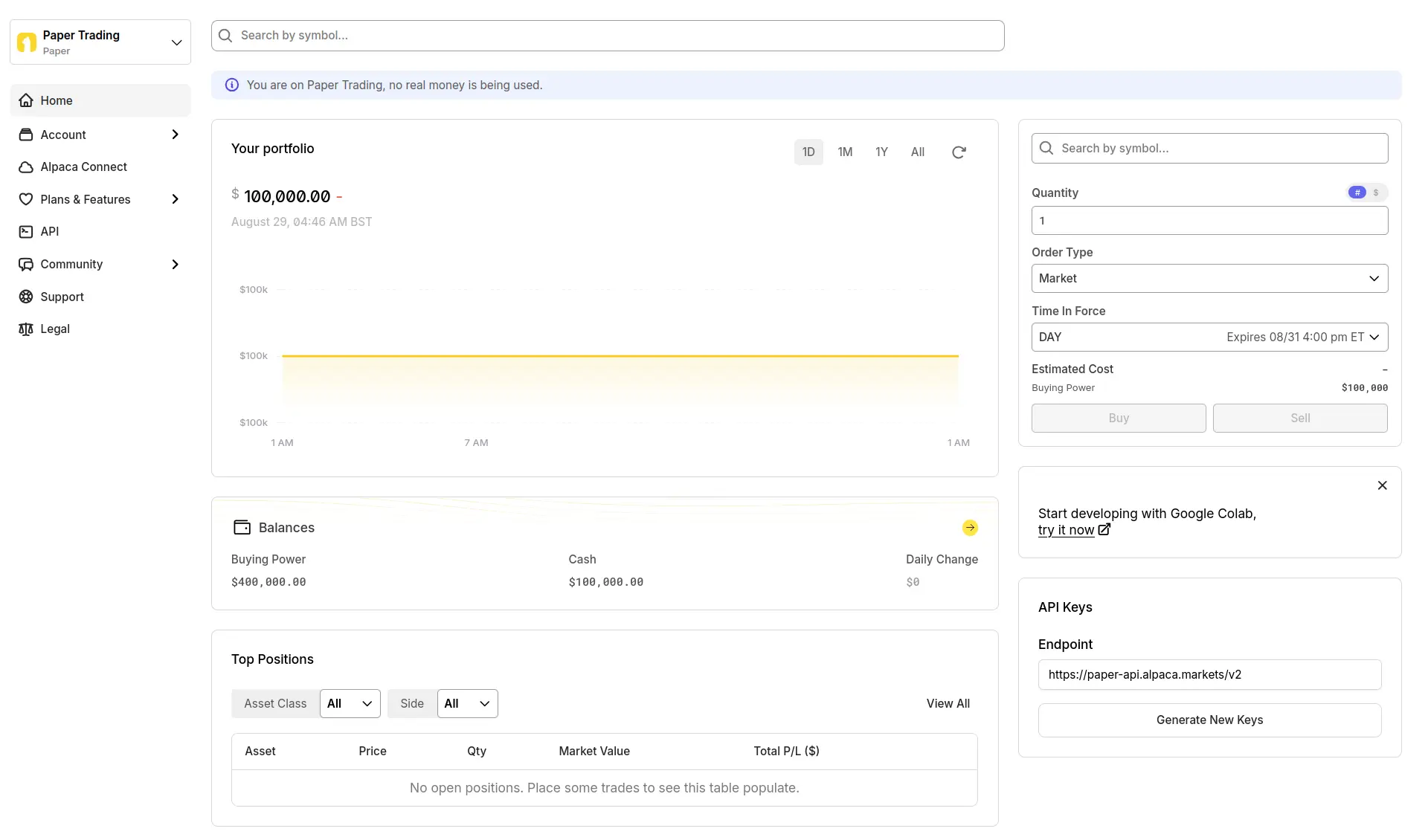
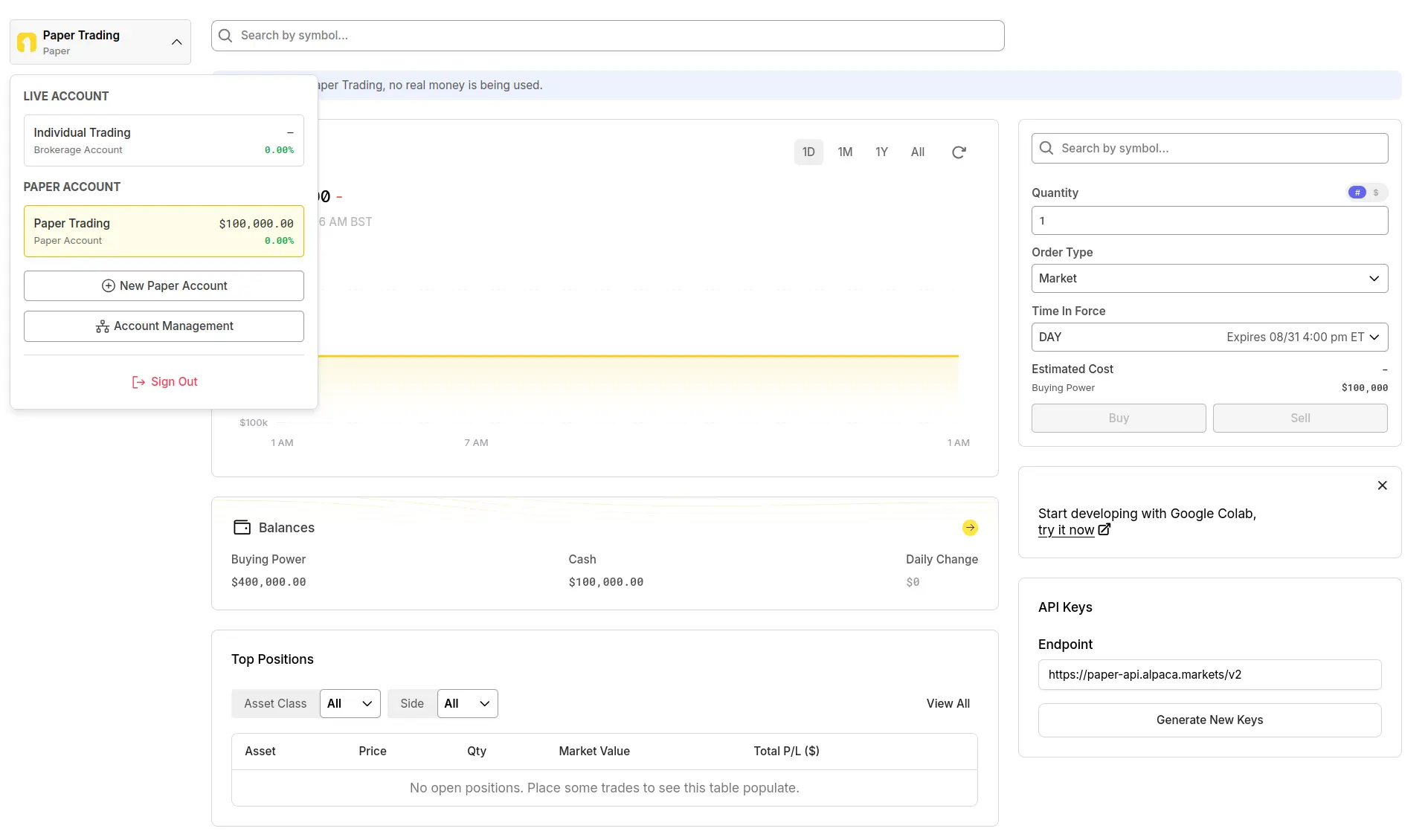
The dropdown menu at the top/left will allow you to toggle between live and paper account. Select New Paper Account.
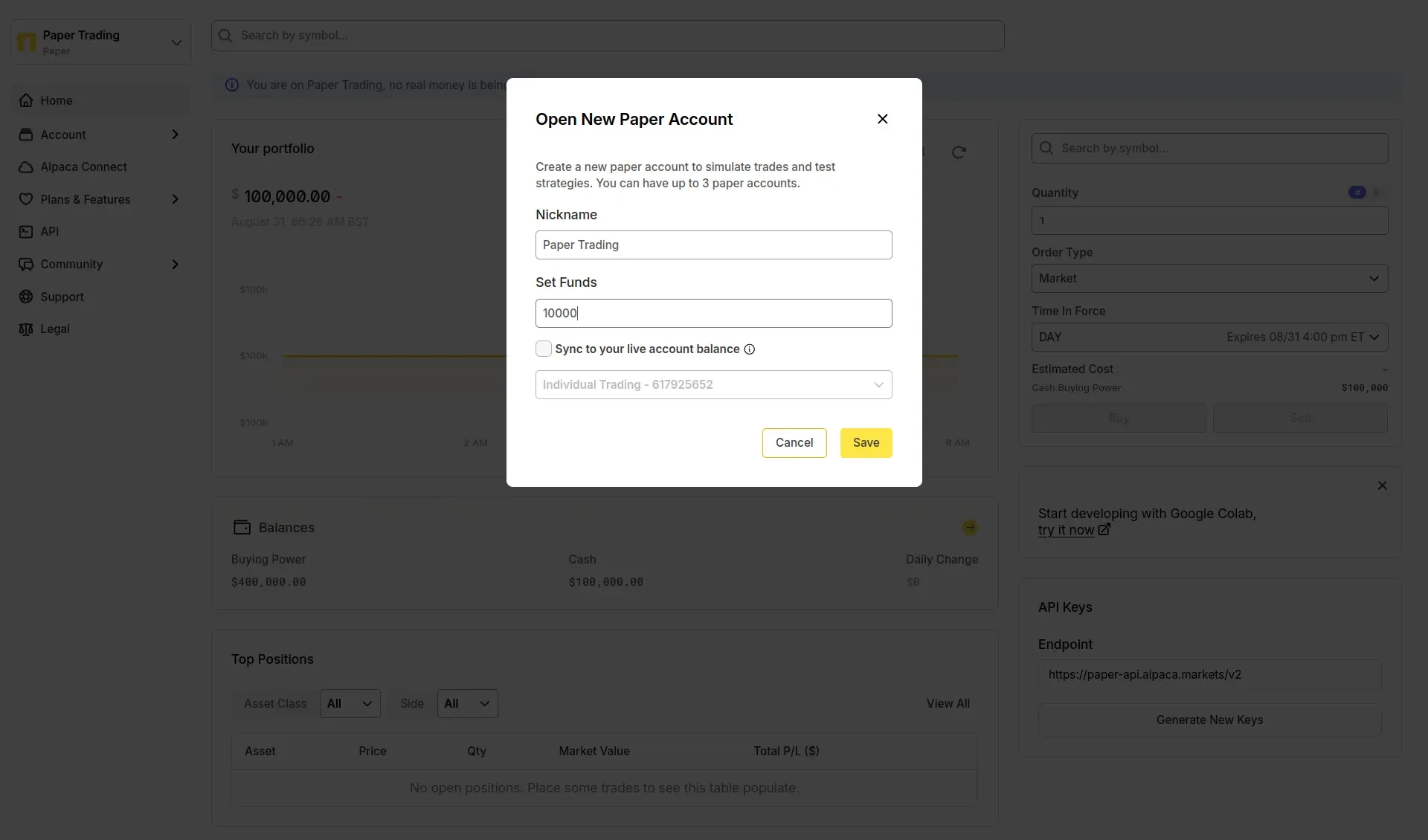
Provide a name and initial trading capital for the new paper account.
Once the new account has been created, toggle the account selector again and select Account Management.
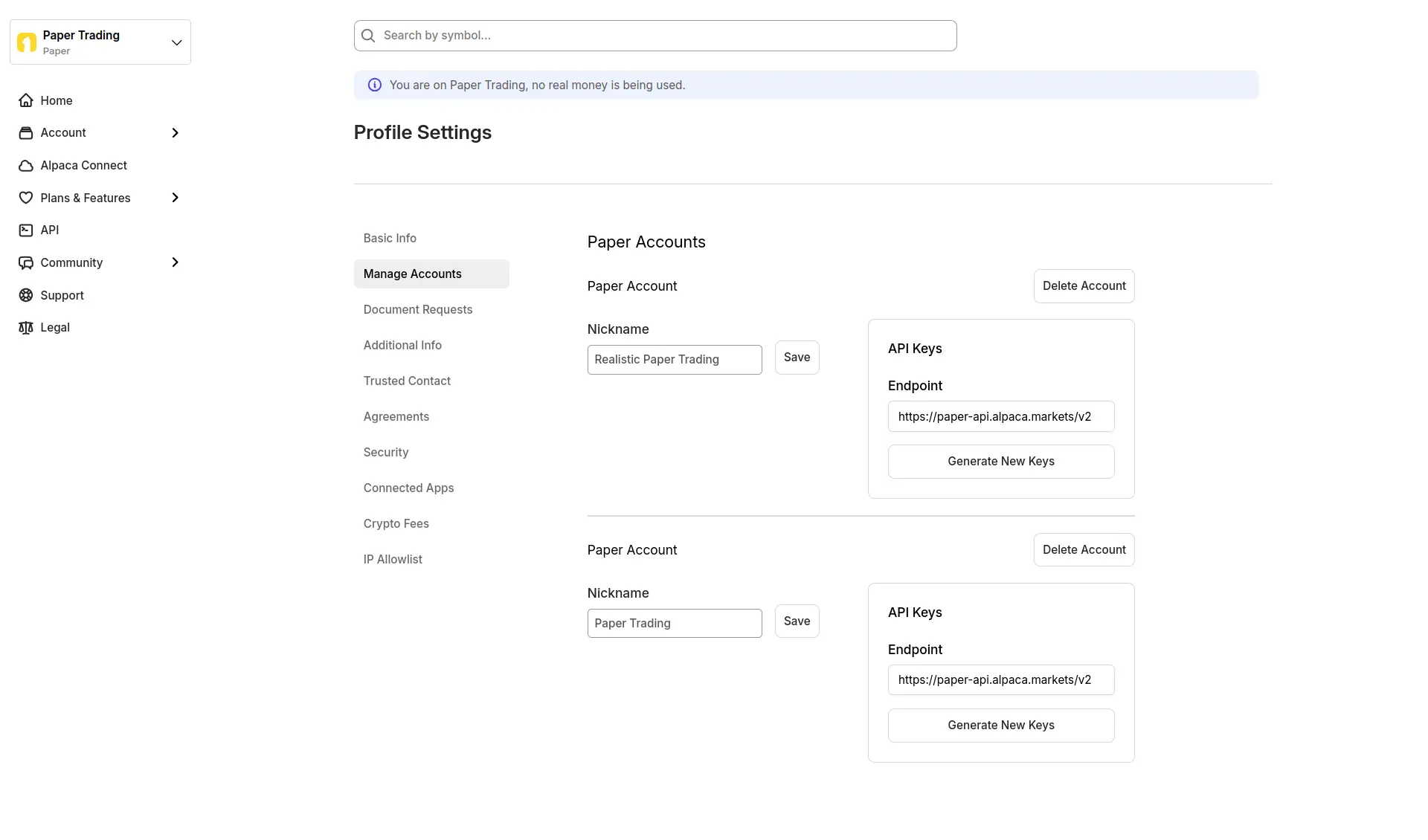
You can delete the old paper trading account. Or keep it. You can have up to three paper trading accounts at any one time.
Select the new paper trading account and starting testing!
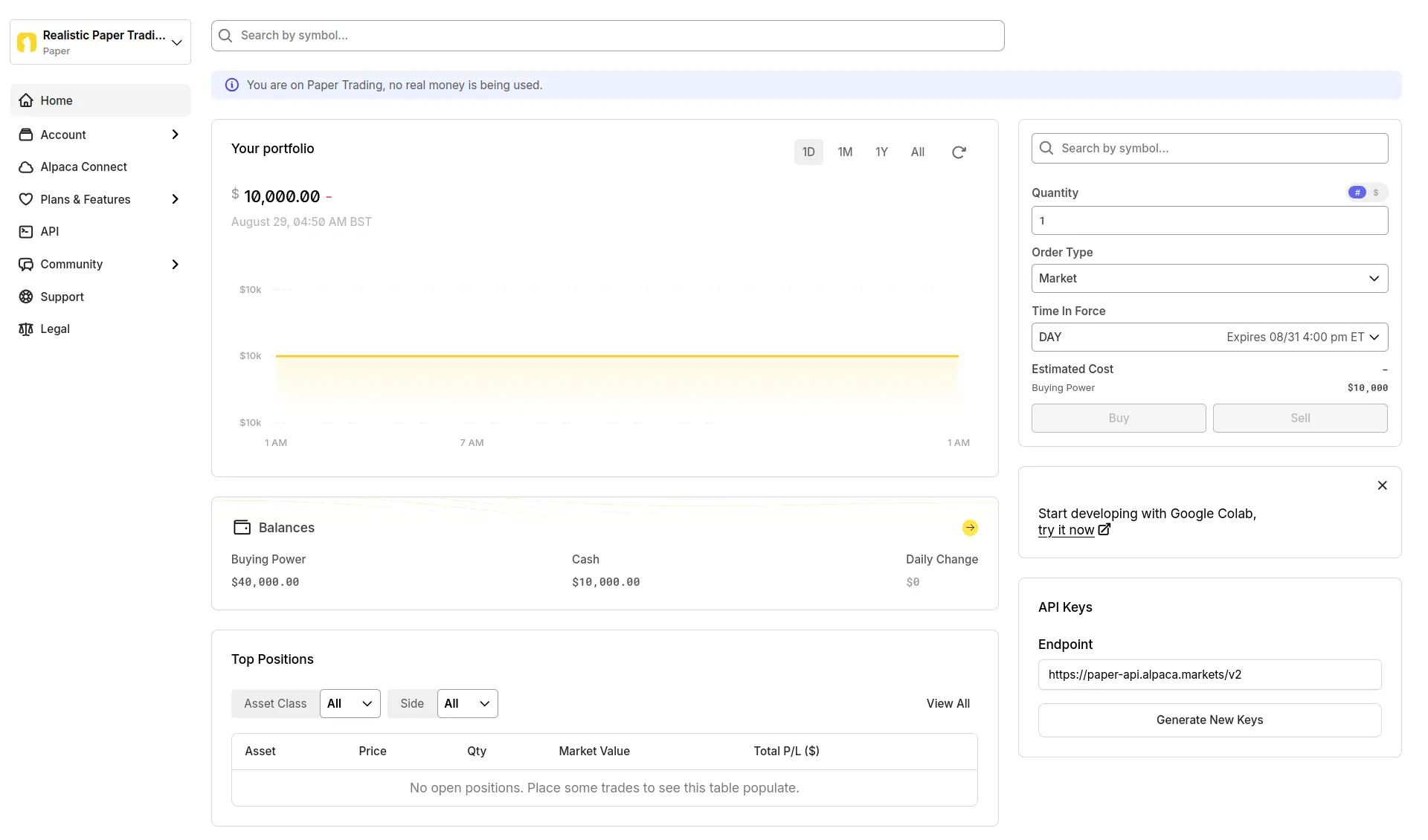
You might be executing trades manually, but it’s more likely that, given that you’re using Alpaca, you’ll be doing it programmatically. Let’s check that we can access the newly created account from code.
Set environment variables with the details of the account. The value for APCA_API_KEY_ID should start with PK.
APCA_API_KEY_ID=
APCA_API_SECRET_KEY=
Install the alpaca-py package. Run a quick test to check the account parameters.
import os

from alpaca.trading.client import TradingClient

trading = TradingClient(
    os.environ["APCA_API_KEY_ID"],
    os.environ["APCA_API_SECRET_KEY"],
    paper=True,
)

account = trading.get_account()
print(account.status, account.cash, account.buying_power)
AccountStatus.ACTIVE 10000 40000The paper trading account is active with 10000 USD in cash and 40 000 USD in buying power, consistent with what I see on the dashboard. 🚀