I recently migrated this blog from GitLab Pages to Vercel. There were two main reasons for the move:
- The blog was taking too long to build on GitLab Pages, which hindered efficient updates and added unnecessary delays to my workflow. Admittedly, this was partially my own doing since my build process was far too complicated.
- I want to have greater control over redirects (specifically the ability to redirect URLs that didn’t end in a slash to ones that did, which was apparently important for SEO purposes).
🚀 TL;DR If you don’t have the patience to wade through the details then skip down to the end for a brief summary.
Pages with Redirects
The second of these was the real driver. I was motivated by a periodic report from Google Search Console which indicated that a number of my pages were not being indexed because they were redirects.
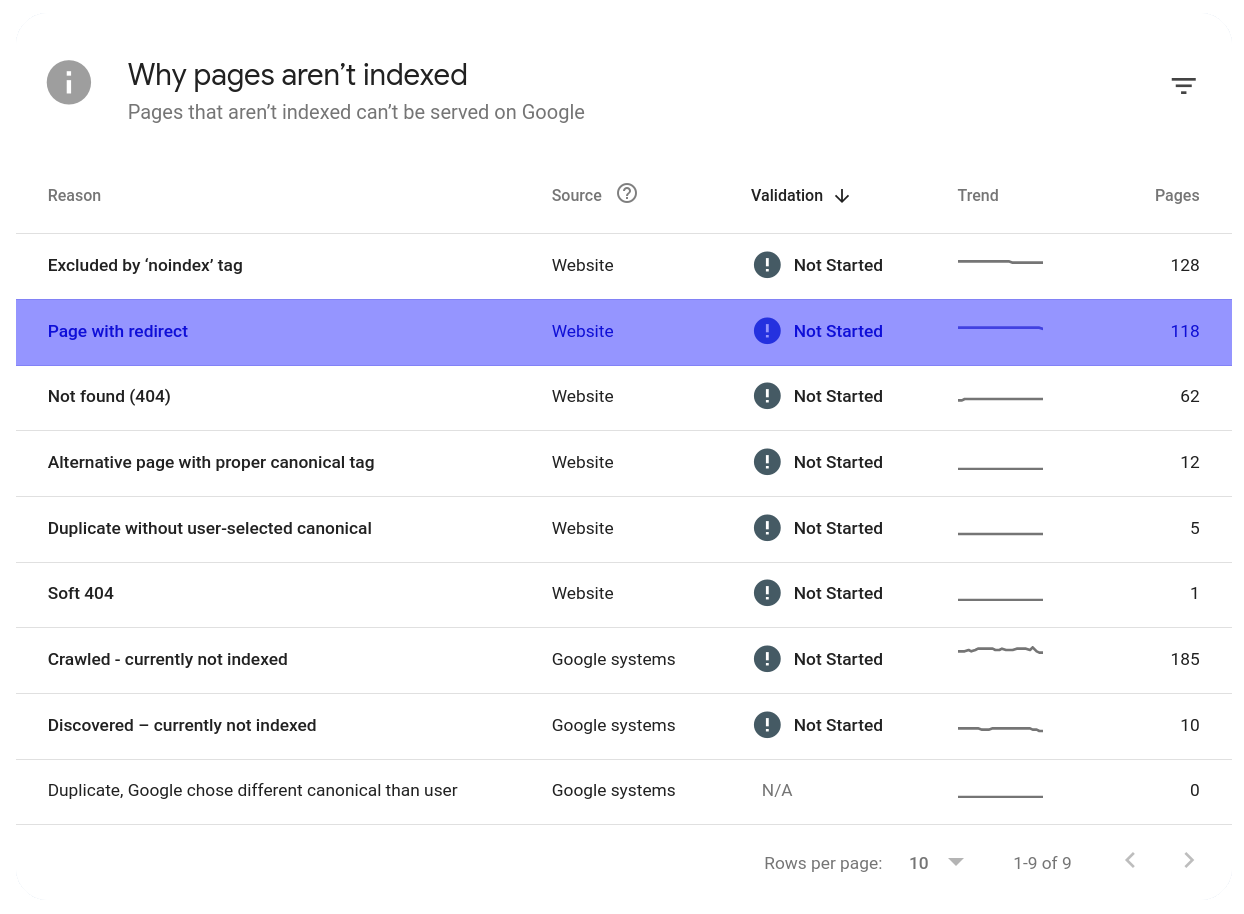
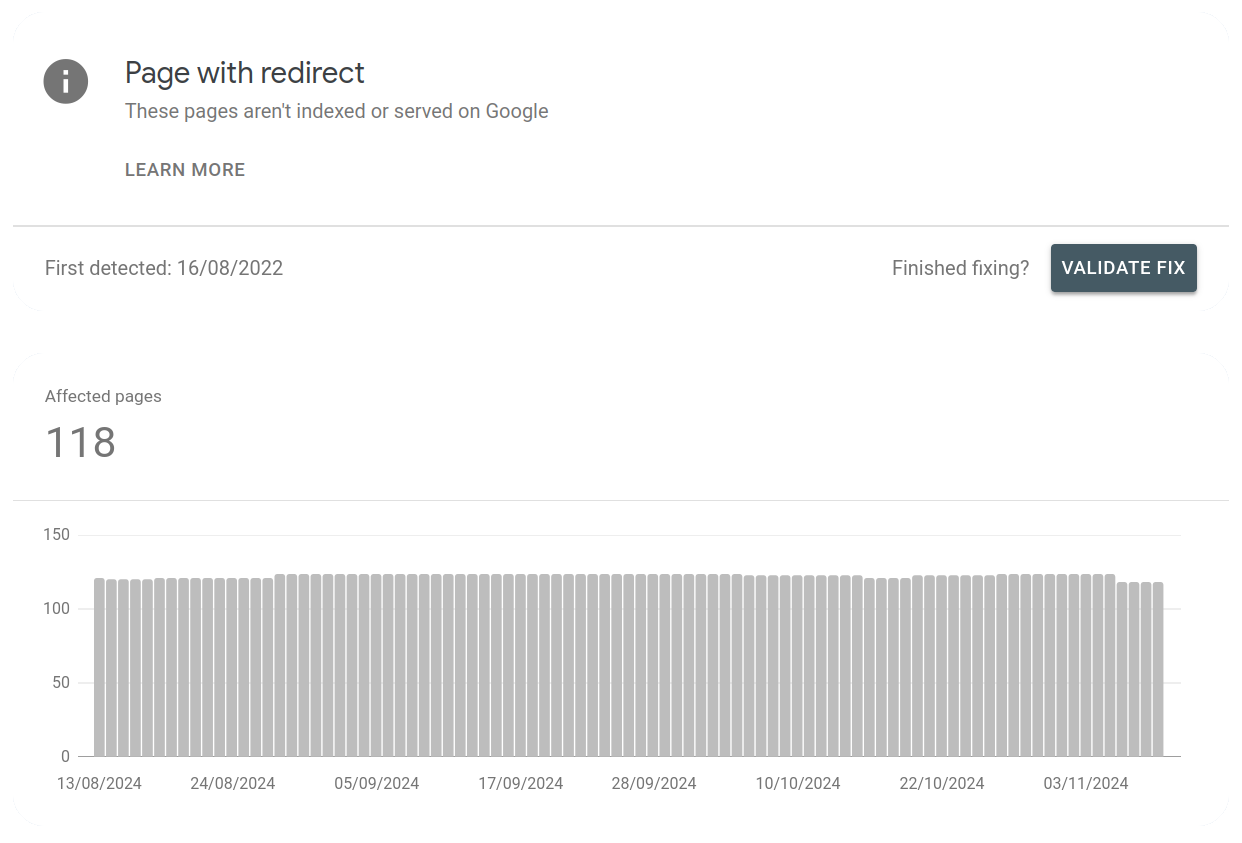
Upon further investigation I found that Google was referring to redirects that enforced trailing slashes on my URLs. For example, redirecting from https://datawookie.dev/blog (without a trailing slash) to https://datawookie.dev/blog/. These normalisation redirects appear to originate from the GitLab Pages server itself. These redirects have apparently been there for a while (at least since August 2022) and are fairly consistent in number.
What’s Happening on GitLab Pages?
I used curl -v to better understand what happens to an URL without a trailing slash.
curl -v https://datawookie.dev/blog* Host datawookie.dev:443 was resolved.
* Connected to datawookie.dev (35.185.44.232) port 443
> GET /blog HTTP/2
> Host: datawookie.dev
> User-Agent: curl/8.5.0
> Accept: */*
>
< HTTP/2 302
< content-type: text/html; charset=utf-8
< location: //datawookie.dev/blog/
< permissions-policy: interest-cohort=()
< vary: Origin
< content-length: 57
< date: Tue, 12 Nov 2024 06:42:34 GMT
<
<a href="//datawookie.dev/blog/">Found</a>.The curl output has been edited to remove some irrelevant content. It’s apparent that the server generated a 302 Found redirect. The location: header gives the target URL for the redirect (which simply adds the trailing slash).
It appears that requests to GitLab Pages are proxied via NGINX, so it’s likely that this behaviour is being introduced by NGINX. A cursory bit of additional research supports this. Not important, but interesting.
Preparation
To optimise the repository for the migration and streamline builds, I made the following changes to the repository:
- I previously had a Hugo theme as a sub-module. I moved it directly into the repository.
- I was processing some
.Rmdfiles on each build via GitLab CI. For these files I did not include the corresponding.mdfile in the repository since it was generated in CI. This process significantly slowed down the site build time. I am now including all of the.mdfiles and not rebuilding in CI. This means that some posts (like Your Life in Weeks) are no longer getting rebuilt daily. I’ll fix that sometime. Maybe. - I upgraded to Hugo v0.138.0 and had to rename
config.yamltohugo.yaml.
With the repository updated and streamlined, I was ready to set up the deployment on Vercel.
Vercel Preliminaries
(Not) Using the API
I initially tried pushing my site to Hugo using the API. However I quickly found that this would not be ideal since there was a daily limit on with a free (personal) Vercel plan. It made more sense to let Vercel itself take care of the deployment.
Add a New Project
On the Vercel dashboard press the button and choose the Project option.
Now, if you have not already done so, select a Git provider. You can choose between GitHub, GitLab and Bitbucket. Once you have made your selection and authenticated you should see a list of repositories. Choose the one for your site and then press the button.
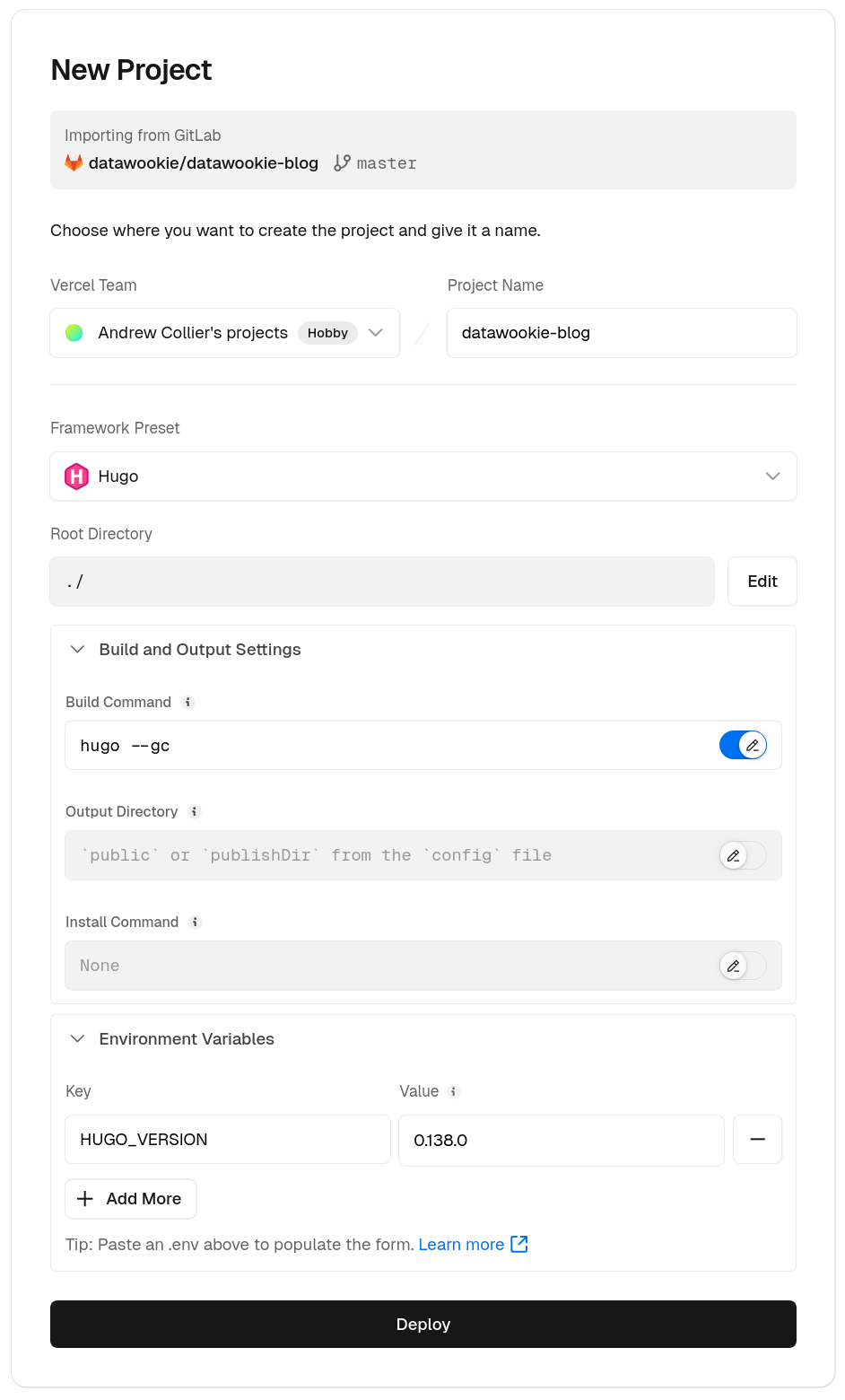
Next you’ll need to fill out the New Project details.
- Give it a suitable name.
- Click the Framework Preset dropdown and find Hugo.
- You can specify a build command (although the default should be 100% fine).
- The default Hugo version on Vercel is not current. If you want a specific version then set the
HUGO_VERSIONenvironment variable. Add in any other environment variables that you might need for the build. - Press the big button.
A build will start immediately and you can follow the progress in the Build Logs tab. This is probably worth doing at least on your first build.
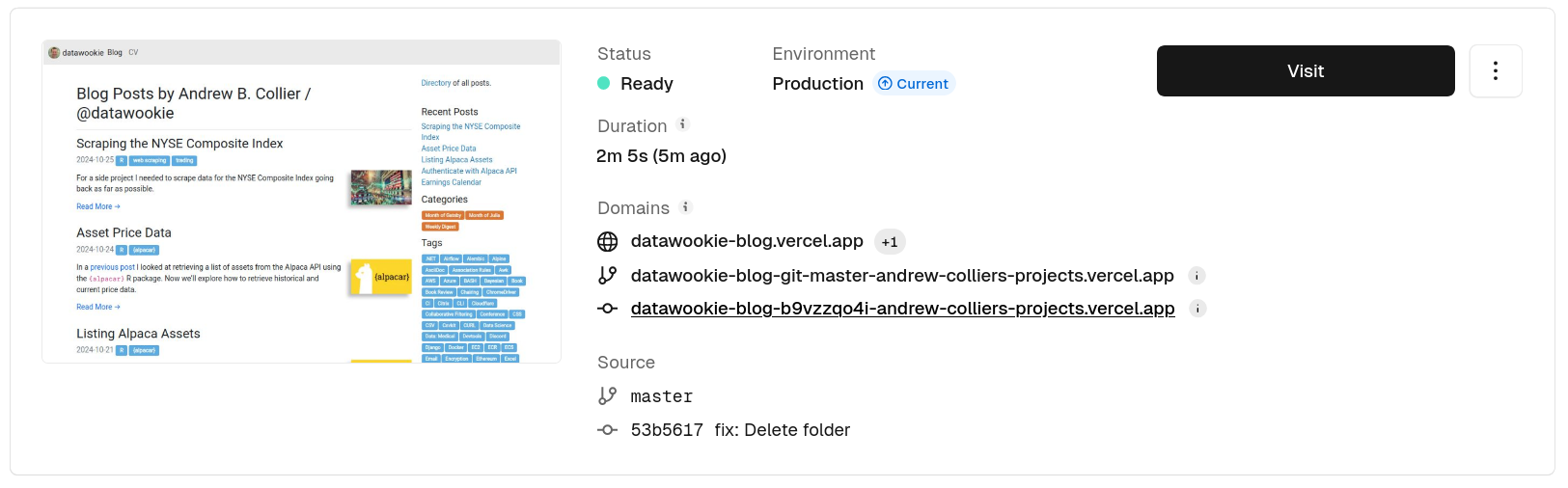
When your build is complete you can click on the big button and be taken to your freshly deployed site. You’ll probably notice that it has a rather eccentric URL. Fear not, we’ll fix that shortly.
Create a Vercel Configuration File
I like to have as much configuration content in my repository as possible. At this point I created a vercel.json file in the root of the repository with the following content.
{
  "build": {
    "env": {
      "HUGO_VERSION": "0.138.0"
    }
}
This just duplicates the environment variable that we set via the dashboard. You can go back and remove it from the dashboard because it will be picked up from the file for future builds.
Update DNS
Once you have a working production deployment on Vercel and you’re happy that everything is working properly you can then point your DNS at it.
Find the Domains tab under Setting. Specify the required domain.
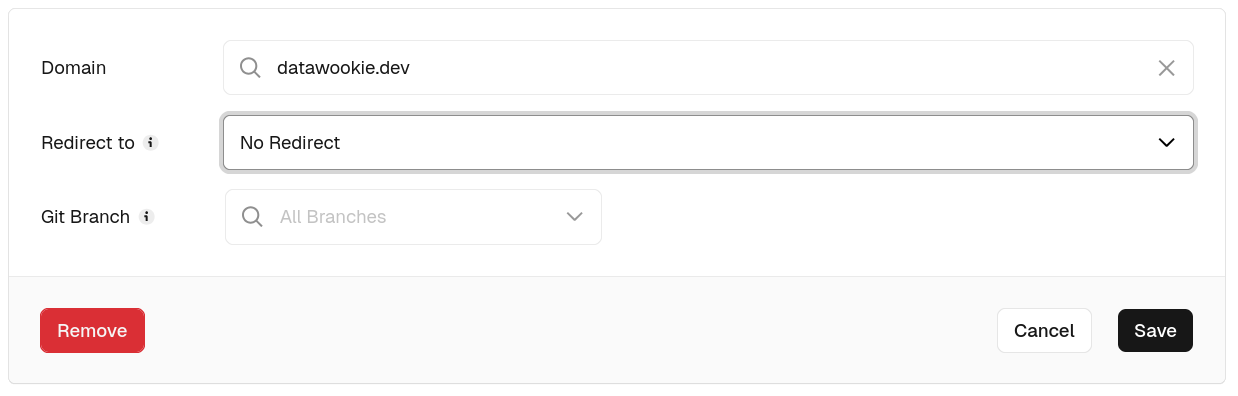
After you press the button you’ll be asked to set up an A record with your DNS provider. Make the change and wait for it to propagate across the DNS servers.
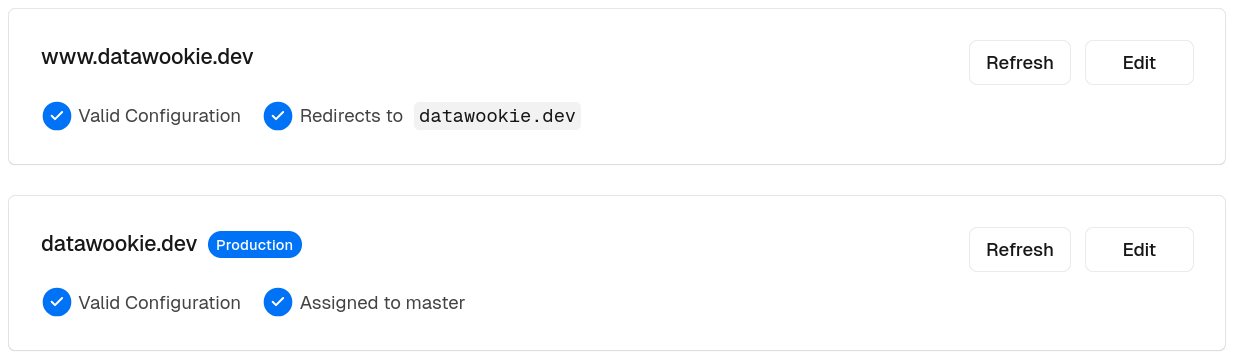
You can also create redirects from other sub-domains here. For example, I have my blog hosted at https://datawookie.dev and https://www.datawookie.dev redirects to it.
Handling DNS and Correct Links
I had my base URL specified via the Hugo configuration file:
baseurl: "https://datawookie.dev/"This had worked perfectly before. But this was when I just had a single deployment, which always ended up at https://datawookie.dev/.
Vercel, however, provides two different deployment types:
- production deployment — the production version of your site, deployed from either the
masterormainbranch; and - preview deployment — previews built from any other branch.
These preview deployments are very handy if you want to see what you work-in-progress looks like without compromising your production site.
However, if you specify baseurl via your Hugo configuration then, although previews deployments will be assigned a distinct URL, all of the links on the preview site will take you back to the production site. And that’s really no use at all.
Base URL via Hugo CLI
To work around that we’ll do two things:
- remove
baseurlfrom the Hugo configuration file; and - specify the base URL via the
-bargument tohugo.
Change your build command on Vercel to specify the base URL.
hugo --gc -b https://datawookie.dev/💡 The -b setting doesn’t impact on where Vercel will deploy your site. It only affects links within the content rendered by Hugo.
Trigger a build of the site. Wait patiently. Then check the result. Should once again be deployed at the same place. Nothing new here, we’re just moving things around.
Production Deployment
To cater for both production and preview deployments we’re going to need to be a bit more flexible. Using the -b argument as above will only work for production deployments. Preview deployments need to have their own specific base URLs.
Luckily for us we can get these from Vercel environment variables. And it turns out that there are quite a lot of those. We can inspect them by adding env onto the end of the build command then looking at the build logs.
hugo --gc -b https://datawookie.dev/ && envYou should see something like this (I’ve judiciously edited the output to focus on the interesting bits):
VERCEL_GIT_COMMIT_REF=master
VERCEL_GIT_PROVIDER=gitlab
VERCEL_GIT_REPO_SLUG=datawookie-blog
VERCEL_GIT_COMMIT_AUTHOR_LOGIN=datawookie
VERCEL_GIT_REPO_OWNER=datawookie
VERCEL_GIT_COMMIT_AUTHOR_NAME=Andrew Collier
VERCEL_ENABLE_NPM_DEFAULT=1
VERCEL_ENV=production
VERCEL_BRANCH_URL=datawookie-blog-git-master-andrew-colliers-projects.vercel.app
VERCEL_URL=datawookie-blog-dlck13c8y-andrew-colliers-projects.vercel.app
VERCEL_PROJECT_PRODUCTION_URL=datawookie.dev
VERCEL_PROJECT_SETTINGS_NODE_VERSION=20.x
VERCEL_PROJECT_SETTINGS_BUILD_COMMAND=hugo --gc -b https://datawookie.dev/ && env
NODE_OPTIONS=--max_old_space_size=8192
HUGO_VERSION=0.138.0
PWD=/vercel/path0
HOME=/vercel
TZ=:UTC
LANG=en_US.UTF-8
CI=1
Aha! We can use the VERCEL_PROJECT_PRODUCTION_URL to specify the base URL. Let’s revise the build command.
hugo --gc -b https://$VERCEL_PROJECT_PRODUCTION_URL🚨 The VERCEL_PROJECT_PRODUCTION_URL environment variable doesn’t include the https:// bit, so you need to specify that explicitly.
Once again, build and check your site.
Preview Deployments
Now that the production deployment is working with a base URL from an environment variable we can set up preview deployments. Preview deployments have a number of nice features.
Create a new branch off master (or main) and push to your repository. You should see that almost immediately Vercel will start building a preview deployment. Let that finish and then visit the preview URL. You will most likely find that links in the preview are going back to the production site (or worse, are just completely broken).
You might have noticed VERCEL_BRANCH_URL among the environment variables above. That’s actually the base URL that we need for the preview deployments. We’ll use that for the default build command (which will be applied to all preview deployments) and then apply a specific override for the production deployment that uses VERCEL_PROJECT_PRODUCTION_URL instead. The default build command should be
hugo --gc -b https://$VERCEL_BRANCH_URLThe entire setup should look something like this:
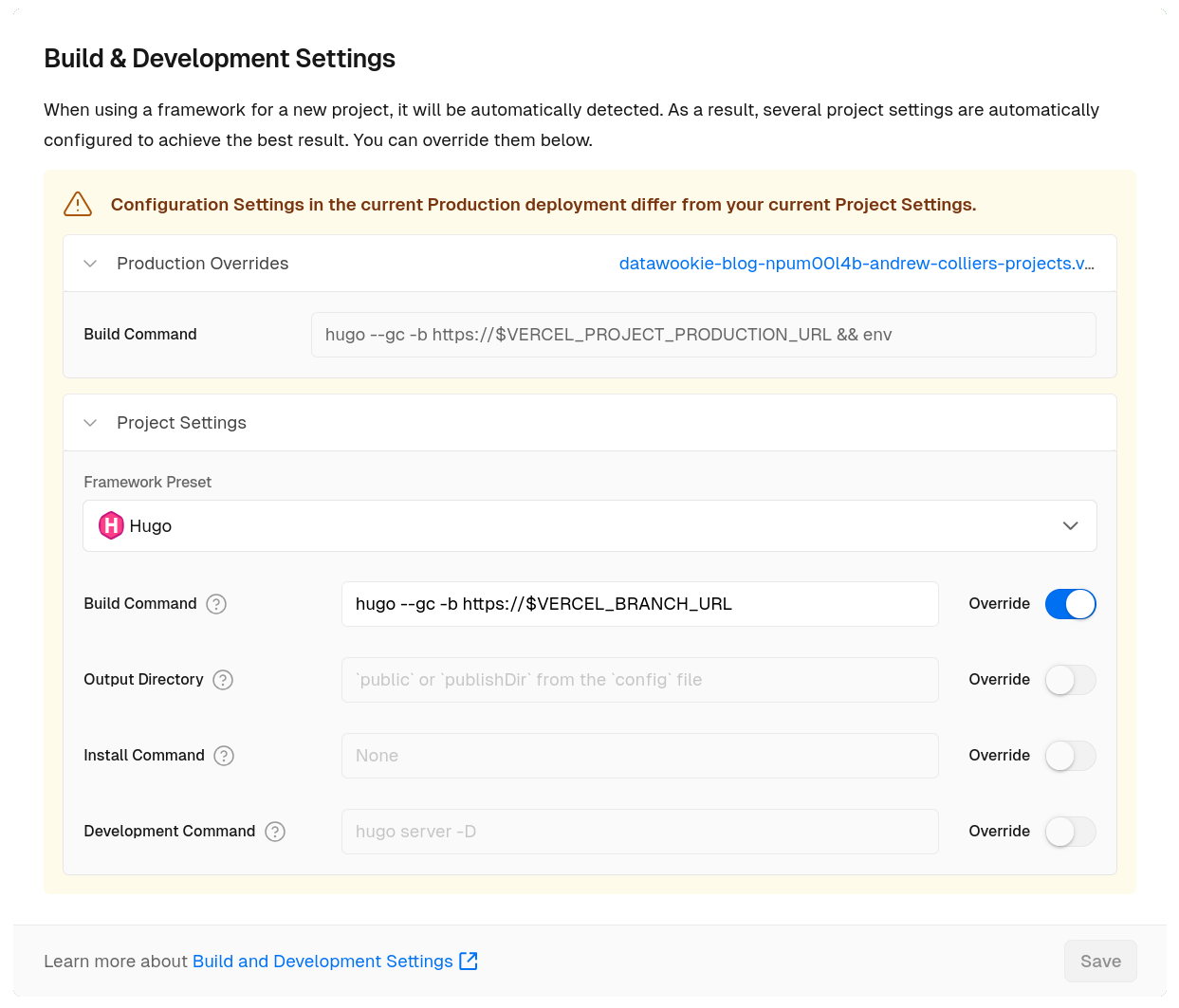
Take a look at a fresh preview build and you should find that the internal links now point to the same build rather than going to the production site.
You won’t want search engines indexing your preview deployments. With this in mind Vercel will set the X-Robots-Tag header to noindex for previews.
curl -I https://datawookie-blog-qw6wubmal-andrew-colliers-projects.vercel.app/blog/HTTP/2 401
cache-control: no-store, max-age=0
content-type: text/html; charset=utf-8
date: Mon, 11 Nov 2024 05:56:19 GMT
server: Vercel
set-cookie: _vercel_sso_nonce=fpzaV95phTjxlVcgUWJIneXp; Max-Age=3600; Path=/; Secure; HttpOnly; SameSite=Lax
strict-transport-security: max-age=63072000; includeSubDomains; preload
x-frame-options: DENY
x-robots-tag: noindex
x-vercel-id: lhr1::sgrsf-1731304579273-cd07ef3dc900
content-length: 13129🚨 You will probably want to set the retention policy on preview deployments because there’s no sense in having them rattling around for ever.
Branch & Deployment Links
Each deployment will have either two (preview deployments) or three (production deployment) URLs associated with it. For the production deployment below you can see three URLs:
- the custom domain URL (the primary user-facing URL);
- the branch URL (this is linked to the branch that triggered the deployment and reflects the latest deployment on this branch) stored in the
VERCEL_BRANCH_URLenvironment variable; and - the deployment URL (this is the unique link for a specific deployment instance and will generally correspond to a particular Git commit) stored in the
VERCEL_URLenvironment variable.
Redirects
Finally we’re at the point where we can address the redirect issue. This can be done by adding a "redirects" section into the vercel.json configuration file.
{
  "buildCommand": "hugo --gc -b https://$VERCEL_PROJECT_PRODUCTION_URL",
  "build": {
    "env": {
      "HUGO_VERSION": "0.138.0"
    }
  },
  "trailingSlash": true,
  "redirects": [
    {
      "source": "/(.*[^/])$",
      "destination": "/$1/",
      "permanent": true
    }
  ]
}
Let’s test it.
curl -v https://datawookie.dev/blog* Host datawookie.dev:443 was resolved.
* Connected to datawookie.dev (76.76.21.21) port 443
> GET /blog HTTP/2
> Host: datawookie.dev
> User-Agent: curl/8.5.0
> Accept: */*
>
< HTTP/2 308
< cache-control: public, max-age=0, must-revalidate
< content-type: text/plain
< date: Wed, 13 Nov 2024 17:27:28 GMT
< location: /blog/
< refresh: 0;url=/blog/
< server: Vercel
< strict-transport-security: max-age=63072000
< x-vercel-id: lhr1::8kbch-1731518848396-54e2be950a4e
<
Redirecting...Comparing this to the same output from earlier we can see that we are now getting a 308 Permanent Redirect response, which is what we were after!
🚀 TL;DR Migrating from GitLab Pages to Vercel
I benefited from the move as a result of:
- faster builds with a simpler process;
- more flexibility for managing production and preview deployments; and
- improved SEO through proper redirect handling.
The key components of the migration were:
- Preparing the Repository
- Moved the Hugo theme into the repository.
- Included pre-generated
.mdfiles to avoid rebuilding during CI. - Upgraded to Hugo v0.138.0 and adjusted configuration. Not required.
- Setting Up Vercel
- Used the Vercel dashboard to add the project, configure build settings, and deploy.
- Added a
vercel.jsonfile to manage settings like Hugo version and redirects.
- Configuring Base URLs
- Leveraged Vercel environment variables to dynamically set the base URL for production and preview deployments.
- Handling Redirects
- Added trailing slash redirects in
vercel.jsonto fix SEO issues and align with Vercel’s redirect policies.
- Added trailing slash redirects in
- Updating DNS
- Pointed custom domain to Vercel and configured subdomain redirects.
Some things to check afterwards:
- Ensure that RSS feed still works. I checked that https://datawookie.dev/blog/index.xml still had relevant content.
- Ensure that social
<meta>tags still contain appropriate values. I used validator tools for Twitter, LinkedIn and Open Graph.