Anti-bot systems in general and CAPTCHAs in particular are a pain for web scrapers. A proxy can help, but it’s not enough if the target site is dynamic and requires JavaScript to render the content. You might need to resort to browser automation, adding complexity and infrastructure overhead.
Would it be possible to get the benefits of browser automation without having to manage the browser infrastructure and automation framework yourself?
Last month Massive launched a Web Render API backed by their residential proxy network. The API has three components: a Browser API, a Search API and an AI Chat API. In this post I’ll focus on the Browser API. I’ll get back to the other two components in future posts.
Proxy versus Browser API
As outlined in a previous post, web sites come in two broad flavours: static and dynamic. A proxy is often enough to resolve anti-bot issues when scraping a static site. But a dynamic site might force you to use browser automation to emulate a real user. And that means you need to worry about browser infrastructure. Then you’re confronted by an array of automation options: Selenium, Playwright, Puppeteer or something more exotic?
Render any webpage with a full headless browser, bypass antibot systems, and get clean HTML or screenshots — all through a simple API.
This is where the Browser API steps in. No need to fiddle with browsers or automation frameworks. The API handles that transparently. It’s Browser as a Service (BaaS): you request the page and get back the rendered content.
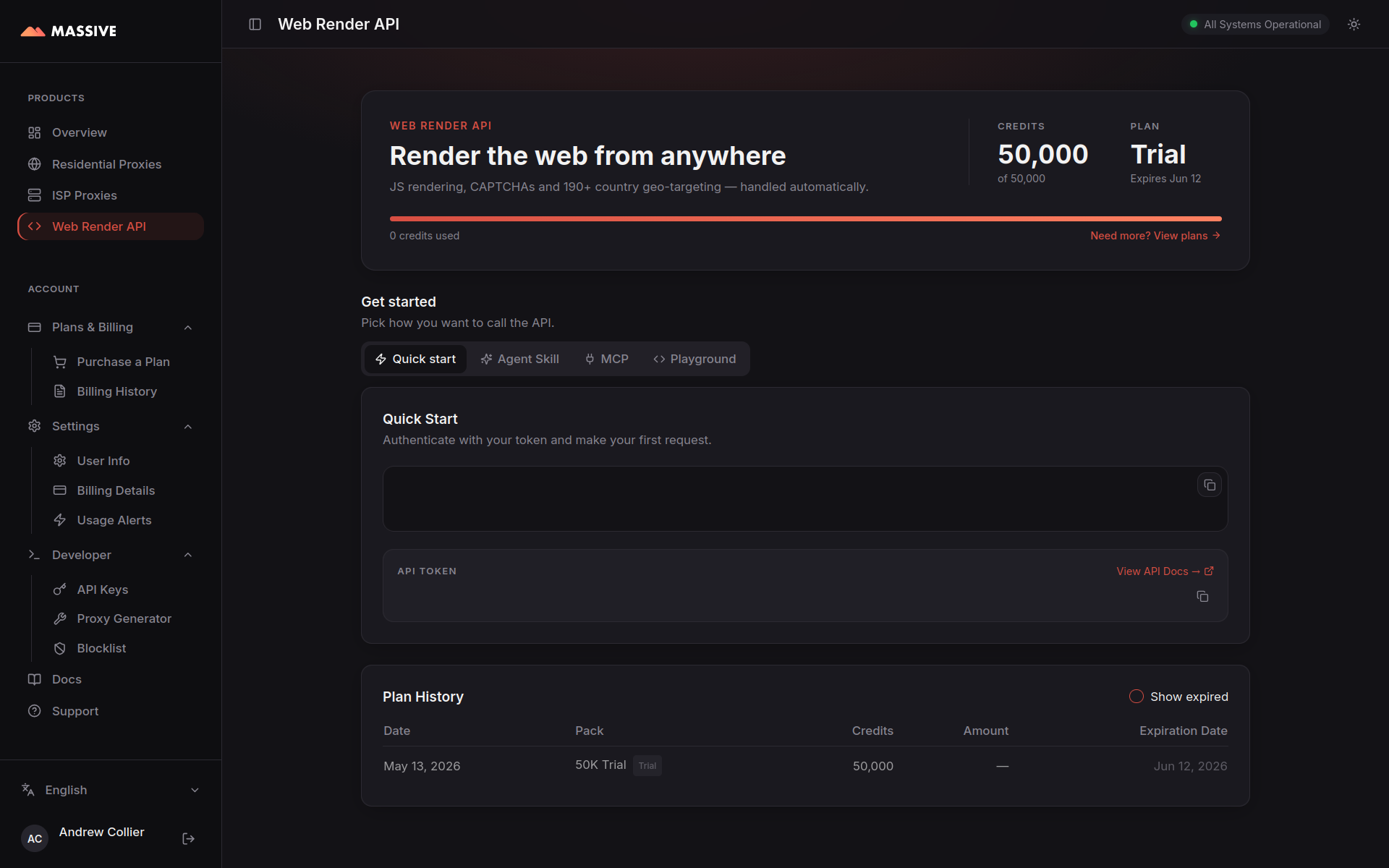
To illustrate the difference between the proxy and the Browser API, consider two versions of the Quotes to Scrape site:
- static version at https://quotes.toscrape.com/ and
- dynamic version at https://quotes.toscrape.com/js/.
We’ll start by simply using the proxy and then try the Browser API.
Just the Proxy
Start with the static site, initially using cURL to request the site via the proxy.
curl -x "http://network.joinmassive.com:65534" -U "******:******" \
  https://quotes.toscrape.com/
The request is directed to the site, with the proxy URL (protocol, host and port) and credentials included via the -x and -U options respectively. The result is a heap of HTML dumped to the terminal. The HTML contains the quotes and their authors. Good smoke test. Not much use for scraping though.
A Python script provides more flexibility, allowing us to dissect the response and extract the quote authors. The script uses httpx.get() to make the request, passing the target URL and proxy configuration as arguments. It parses the response to extract the authors of the quotes.
Albert Einstein
J.K. Rowling
Albert Einstein
Jane Austen
Marilyn Monroe
Albert Einstein
André Gide
Thomas A. Edison
Eleanor Roosevelt
Steve Martin
But if you change the target URL to the dynamic version of the site, the same code returns nothing! The request is successful but the response HTML doesn’t contain the quotes. Why? Because in the dynamic site the quotes are injected by JavaScript after the initial page load. The proxy simply fetches the raw HTML, but the embedded JavaScript is not run. No JavaScript execution means no quotes to parse.
This is the behaviour that you’d get with httpx.get() on the two versions of the site regardless of whether or not there was a proxy involved.
Unleash the Browser API
What runs JavaScript? A browser! And Massive’s Browser API provides a hosted browser that runs the JavaScript for you. The /browser endpoint takes a URL, renders the page in a browser, then returns the final HTML content after JavaScript has executed.
If you send requests via Massive’s proxy you need to specify the proxy’s host and port, along with your username and password. When using the API you don’t use the proxy directly. Your request goes directly to the API, which in turn routes it through the proxy. You do still need to authenticate though. But the mechanism is different. You use an API token in the Authorization header rather than a username and password. The API also has a different URL. You can find your API token and check your usage on your API dashboard.
If we route the request for the dynamic version of the site through the Browser API, then the JavaScript runs and we get the quotes back. Here’s the cURL command:
curl -H "Authorization: Bearer $MASSIVE_TOKEN" \
  https://render.joinmassive.com/browser?url=https://quotes.toscrape.com/js/
The equivalent Python script has a few changes too:
- the request is sent to the Browser API endpoint (not to the site);
- the API token is included in the
Authorizationheader; and - the target URL is passed as a query parameter.
That script works for both the static and dynamic versions of the site. The API handles the browser rendering, so we get the quotes regardless of whether the HTML was generated on the server or in the browser.
This works smoothly for a test site specifically designed to be scraped. But how does it fare with real-world targets? I’ll get back to that shortly. First let’s look at some of the features of the API.
Features
The API has a number of features. Some are enabled by default (like solving CAPTCHAs). Others are optional and enabled by query parameters. The documentation lists all the available options. Here are a few that I found useful.
CAPTCHA
Anti-bot systems can be a frustrating obstacle for scrapers. If the target site uses a service like Cloudflare or Akamai, you might encounter CAPTCHA challenges that block automated access. Tools like Camoufox and CloakBrowser may help to bypass these challenges, but they are not foolproof. And they are just more infrastructure that you have to maintain.
A hosted browser service that can navigate anti-bot challenges sounds like an attractive alternative. My first encounter with one of these services was using Zyte’s API. Massive’s API also offers this capability. The service either avoids, bypasses or solves the CAPTCHA, allowing you to access the content unimpeded. No fuss or faffing.
Suppose that you wanted to scrape a few job listings from Glassdoor. You (or your AI) might whip up a script that uses Playwright. But you’d be frustrated to find that the page is blocked by Cloudflare.
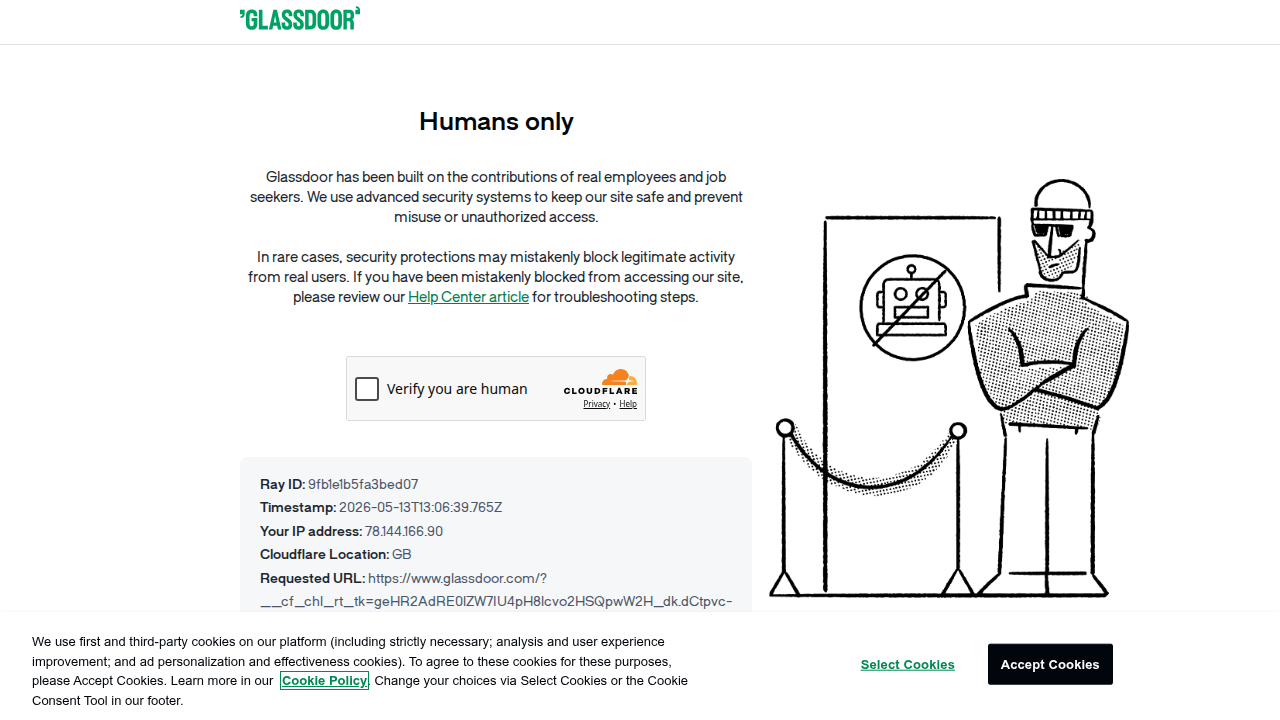
Using the Massive Browser API, you can bypass Cloudflare and retrieve the rendered HTML content of the page. No special options required. This is the default behaviour of the /browser endpoint.
import os
import dotenv
import httpx
import bs4

dotenv.load_dotenv()

token = os.environ.get("MASSIVE_TOKEN", "")

api = "https://render.joinmassive.com/browser"

headers = {"Authorization": f"Bearer {token}"}
params = {"url": "https://www.glassdoor.com/", "format": "rendered"}

response = httpx.get(api, headers=headers, params=params)
response.raise_for_status()

soup = bs4.BeautifulSoup(response.text, "html.parser")

# Extract titles from links in the footer.
for job in soup.select('a[data-test="home-page-seo-footer-link"]'):
    print(job.text)
It’s not a complete job scraper, but it shows that the Browser API can get past the Cloudflare block and return the rendered HTML content. No fuss. No faffing.
Output Formats
The Browser API returns output in one of three formats:
rawrendered(the default); andmarkdown.
The raw response is simply the HTML from the origin server without any JavaScript rendering. Effectively the same as sending a request directly through the proxy without involving the Browser API. Probably of limited utility. The default rendered option returns the HTML after all JavaScript has run. This is the mode used in the previous example. The markdown option converts the resulting HTML into Markdown.
The output format is specified by the format= request parameter. See the updated Python script. Here’s some of the Markdown output from the dynamic version of the site formatted as Markdown:
Quotes to Scrape

# [Quotes to Scrape](/)

[Login](/login)

“The world as we have created it is a process of our thinking. It cannot be changed without changing our thinking.” by Albert Einstein

Tags: change deep-thoughts thinking world

“It is our choices, Harry, that show what we truly are, far more than our abilities.” by J.K. Rowling

Tags: abilities choices
Markdown format is particularly useful if you are going to be feeding the content into an LLM.
Device Emulation
Device emulation forces the API to render the content as if it were being accessed from a specific device. This is useful when the target site serves different content depending on the user’s device. For example, this might be mobile versus desktop versions of the site. A list of supported devices can be retrieved from the /browser/devices endpoint. I have dumped the current list of supported devices to a JSON file. The list currently includes 131 devices from a variety of manufacturers.
You can specify a particular device using the device= query parameter. I sent some requests to https://www.deviceinfo.me/ using various devices from the list. The reported device and browser information certainly looked reasonable. It’d be interesting to know the depth of the device emulation and how well it bears up to scrutiny using fingerprinting techniques.
Real-World Targets
The Render API works well on the JavaScript version of the Quotes to Scrape test site. That’s not a surprise. What about real-world JavaScript-heavy sites? We’ve already seen that it works for Glassdoor. I created scripts for three other sites:
- AirBnb
- Autotrader and
- Yelp.
Each script retrieves the landing page via the Render API and extracts some dynamic content. No anti-bot issues. Fully rendered HTML responses. 🚀
Summary
The Browser API combines two useful features: a proxy and a hosted browser. The proxy means you don’t need to worry about being blocked based on location or IP. The hosted browser gives you access to dynamic content without having to manage browser infrastructure. This is a useful combination particularly for setting up scrapers in an environment where it would be difficult to run a browser, for example, serverless environments like AWS Lambda or ECS. Regardless of the environment, though, if you’re hitting your head against CAPTCHAs then the Browser API is worth a look.